A changelog is a record of the notable changes made to a product, listed newest first, where each entry has a version number and a release date. It tells anyone who depends on your software what changed, when, and whether they need to do anything about it.
In an open-source project, the changelog is usually a file called CHANGELOG.md at the root of the repo, and the .md extension renders as formatted text on platforms like GitHub and GitLab, sometimes mirrored on the repo's GitHub Releases page. In a SaaS product, it's more often a public changelog hosted on your own domain at /changelog. Same job, different address.
Keep a Changelog, the convention most developers point to, calls it "a curated, chronologically ordered list of notable changes for each version of a project." The important word there is curated. A changelog is more than just a list; it's edited communication for users and internal teams. Nobody should have to read every commit to find out that an endpoint was renamed.
A good changelog entry has five parts:
Many changelogs also keep an Unreleased section at the top. Changes collect there as they merge, and on release day you rename the heading to the new version. Once published, put the latest version first; 27.9% of GitHub repositories contain a CHANGELOG.md file, so familiar conventions are worth following.
This is the most common question in developer threads, and the answer is no. Keep a Changelog states the reason in its header: "Don't let your friends dump git logs into changelogs."
Commit messages are written for code review. Systems like Git generate version history automatically, but that raw history is not a changelog. They're full of noise like "fix typo," "WIP" and "address PR comments," and they describe how something changed instead of what it means for the reader. Ten commits might add up to one changelog line. One commit might need three lines because it changed three things users rely on.
The fix isn't to skip commits. It's to use version control for the complete code history and publish a curated reader-facing summary for everyone else. It's to give them enough structure that a tool can draft the changelog, and then have a person edit the draft. More on that in how to keep a changelog up to date.
Short version: the changelog is the complete record, and release notes are the highlights.
A changelog lists every notable change, by version, for the people who need precision: developers, admins, integration partners and your support team. Release notes pick the few changes customers care about and explain what people can now do, usually with visuals that help the target audience grasp major features and new features faster.
Most teams need both, and the changelog comes first because the release notes are pulled from it. For writing the customer-facing side, see our release notes examples and template.
Three of these are open-source changelogs that live in a repo. Three are hosted changelogs for SaaS products. Between them, they show several changelog formats and can serve as an example set to compare before choosing the best changelog format for your readers.
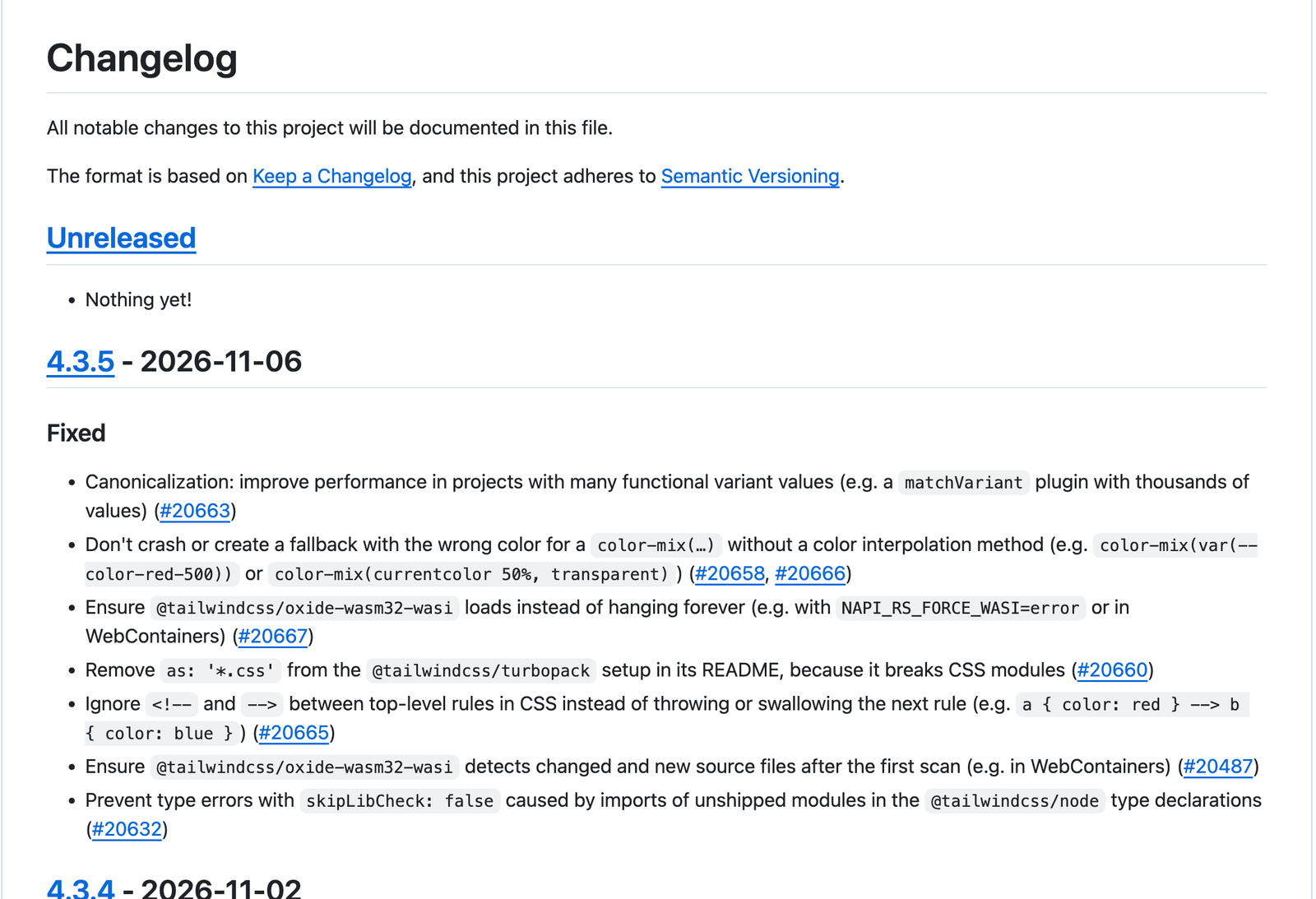
Tailwind's CHANGELOG.md opens by saying it's based on Keep a Changelog and Semantic Versioning, and then it actually follows both. An Unreleased section sits on top (on a quiet day it just says "Nothing yet!"). Each version has an ISO date and Added, Fixed, Changed or Deprecated headings, and every line links to its pull request.
Steal this: the discipline. If you maintain a library or SDK, this is what developers expect to find, and Tailwind shows the format holds up across hundreds of releases.
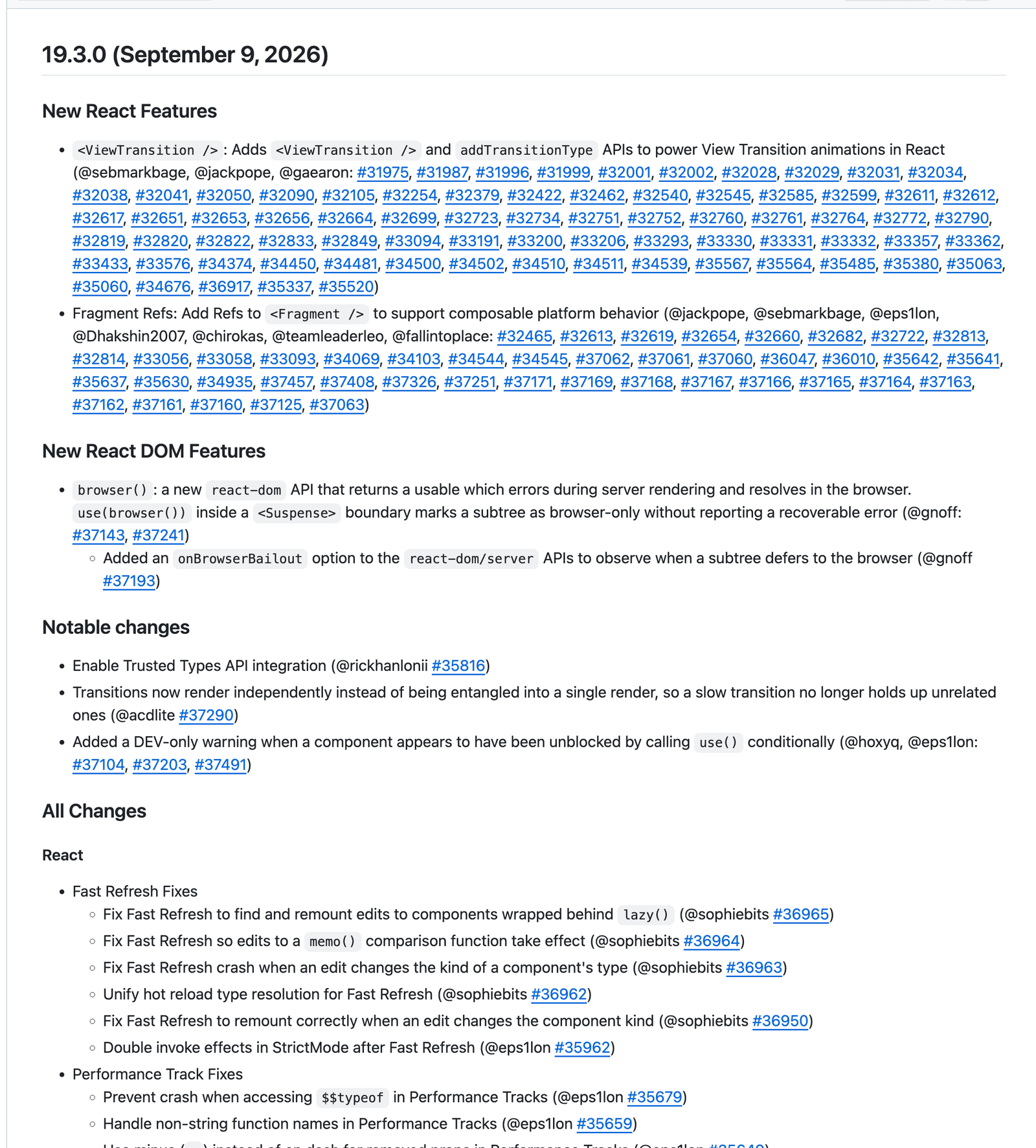
React ships several packages from one repo, and its CHANGELOG.md is organized to match. Each version opens with the headline features and notable changes. Then an "All Changes" section breaks everything down by package: React, React DOM, React Server Components and so on. Most lines credit the contributor by GitHub handle and link the pull request.
Steal this: group by component when your product has several. Someone who only uses one package can skip straight to it.
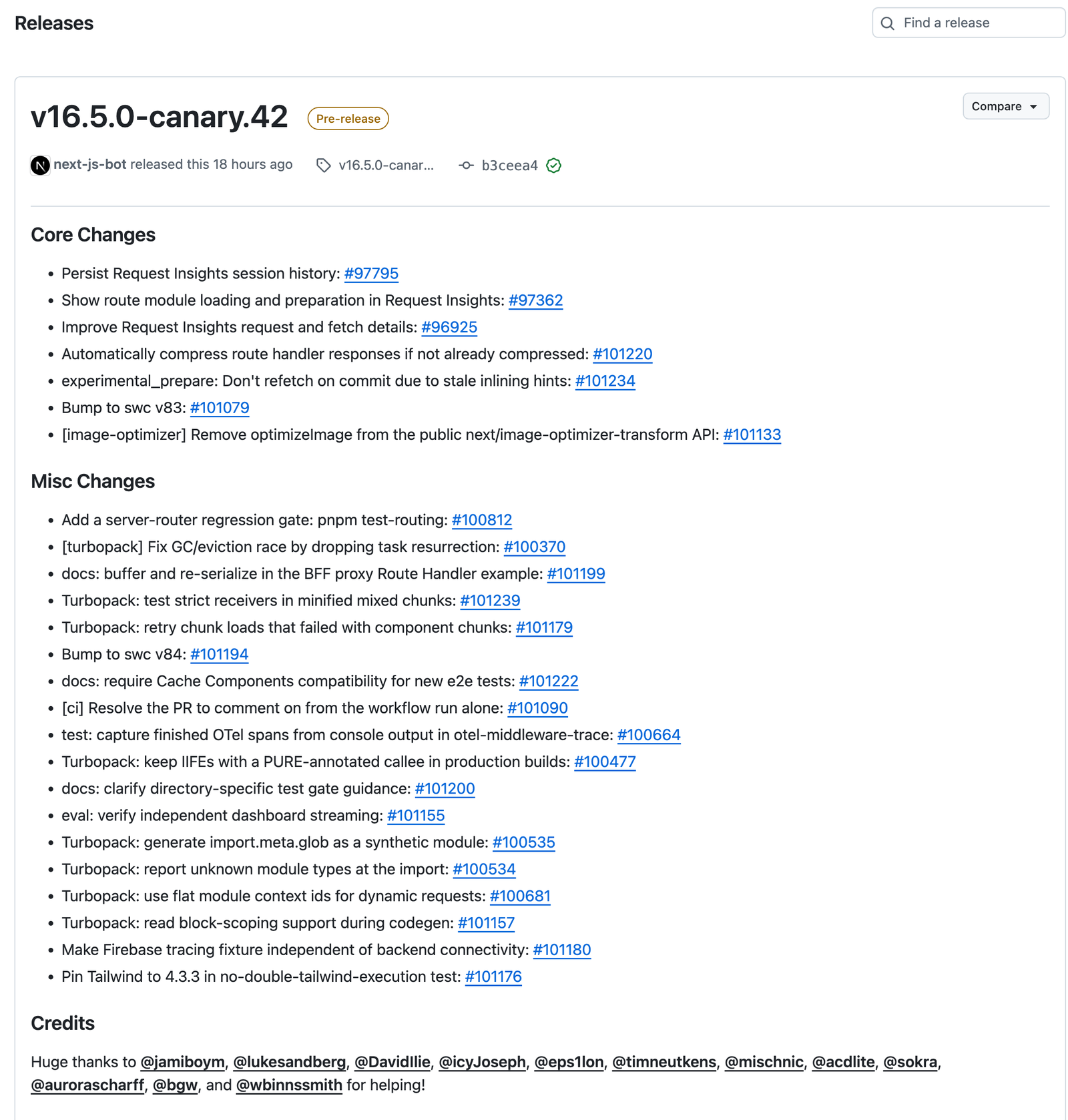
Next.js publishes its changes on GitHub Releases instead of in a file. Each release lists Core Changes and Misc Changes as one-line bullets that link to pull requests, then thanks every contributor in a Credits section. Stable releases are marked Latest, and canary builds are marked Pre-release, so nobody mistakes one for the other.
Steal this: if your team already tags releases on GitHub, the Releases page can be your changelog. Use bullet points to make complex changes easier to scan, and separate stable from pre-release so people know which notes apply to them.
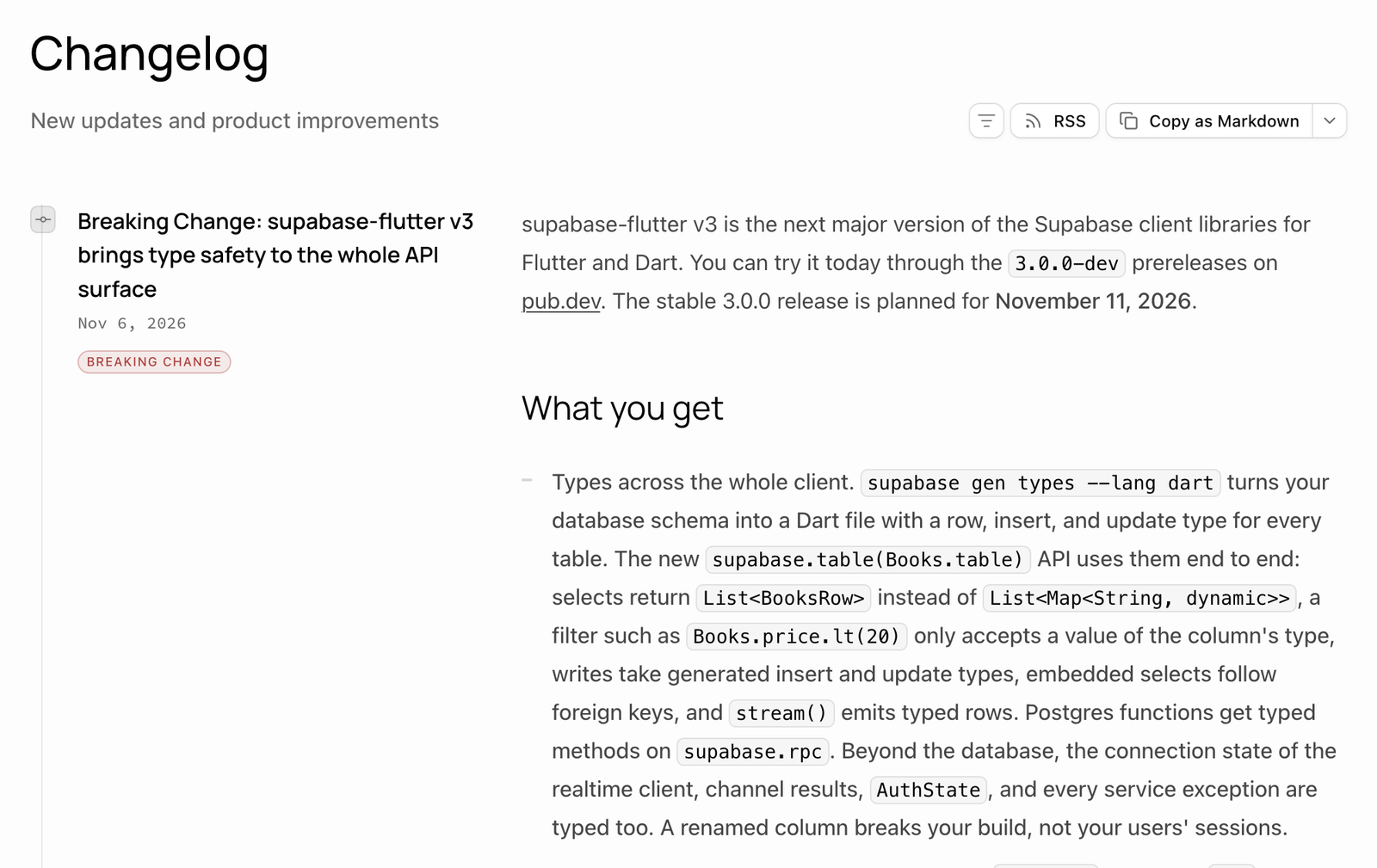
Supabase's changelog is one reverse-chronological feed. Every entry has a date and a type label: Breaking Change, New Feature, Improvement, Bug Fix, Deprecation or Policy. Breaking changes often say so in the title too, as in "Breaking Change: Supabase CLI v3 is local by default…" The breaking-change entries also spell out who's affected, what happens if you do nothing, and the migration steps.
Steal this: make the change type the first thing a reader sees, and give breaking changes a fixed structure. "Who is affected" and "What happens if you take no action" answer the two questions every integrator has.
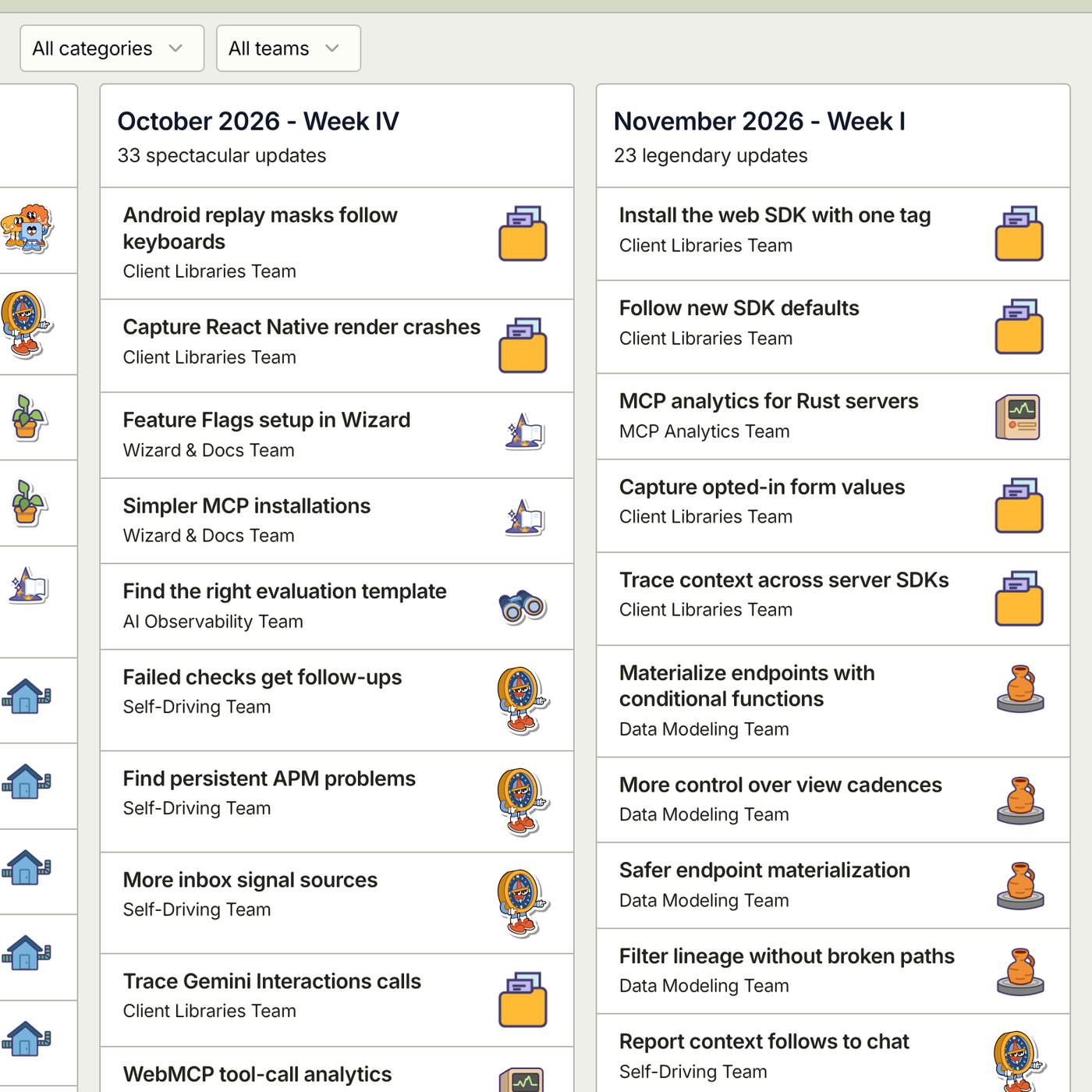
PostHog's changelog groups entries by week, with a count at the top of each ("23 legendary updates"). Each entry names the team that shipped it, such as Client Libraries or Data Modeling, and readers can filter by category or by team. The whole thing is also available as RSS and as Markdown.
Steal this: say who shipped it. Naming the team tells readers where to send questions, and it gives the teams a reason to keep their entries accurate.
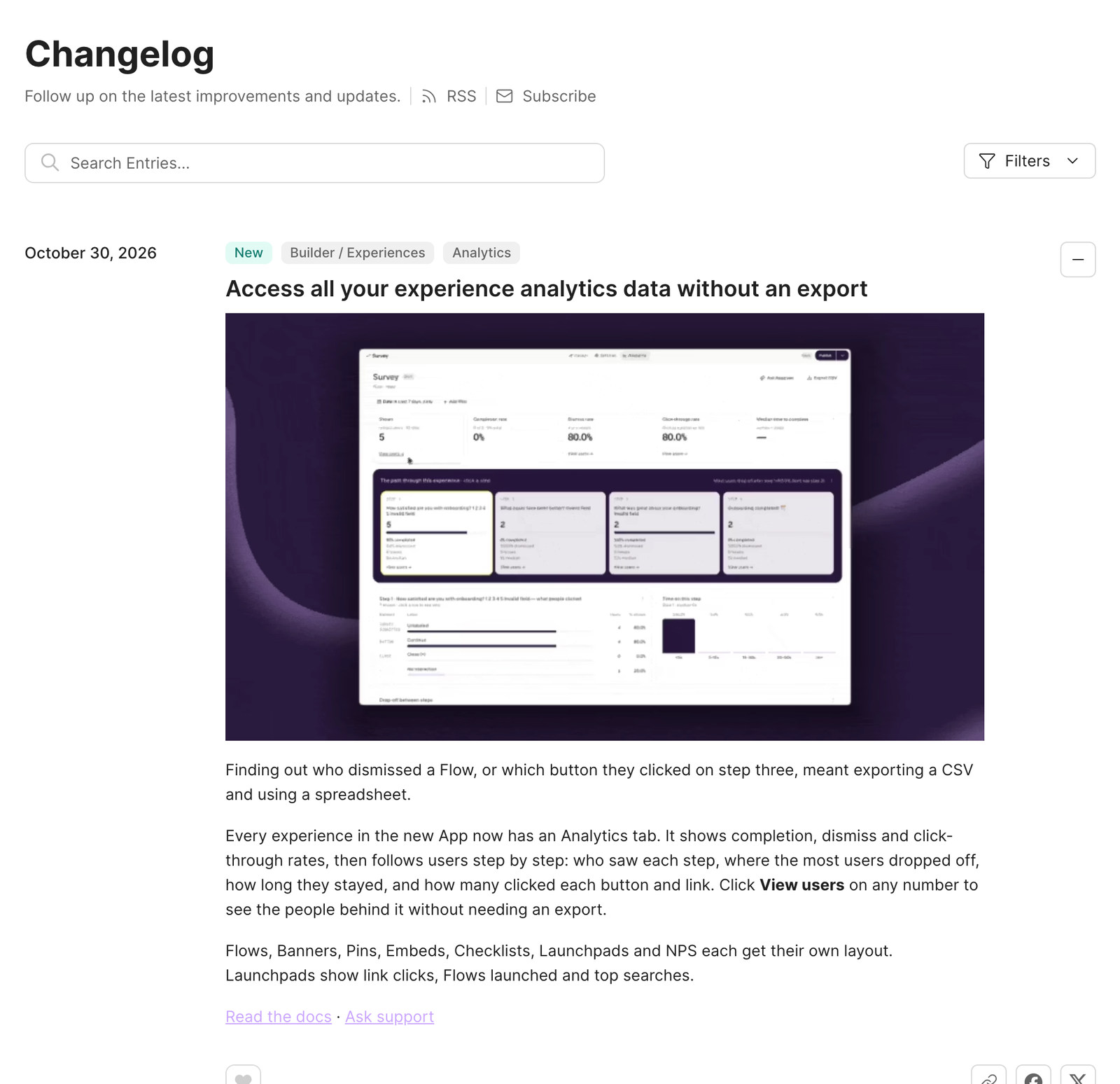
Yes, we're including ourselves. The Appcues changelog is a simple changelog with filters, tagging each entry by type (new, improved, fixed) and by product area (Analytics, AI, Integrations and others). An in app widget or notification badge can help users discover the latest version of new updates without leaving the product. Each entry has a GIF and links to the docs. Once a month, a roundup entry like "What's new and better in Appcues: September 2026" collects smaller improvements in one place, but packing too much into one post is less useful than regular, smaller changelog updates.
Steal this: two levels in one feed. Bigger changes get their own entry, and the small ones get collected into a regular roundup.
Most changelogs don't die because the format was wrong. They die because nobody owned them, and three months later someone tries to rebuild a quarter of changes from memory. A few changelog best practices prevent that.
Someone needs to be accountable for the changelog shipping with every release. In open-source projects, that's usually the maintainer who cuts the release. In SaaS teams, it's often a product manager, a product ops lead or whoever runs the release process, coordinating updates for customers as well as internal teams. The owner doesn't write every entry. They make sure entries exist and read well before they go out, even when product teams supply the raw details and the owner reviews the final wording.
The cheapest moment to write a changelog line is when the pull request merges, while the author still remembers why it mattered; writing as changes merge keeps users updated more reliably than waiting for release day. Common ways to make that the default:
If your team writes commits in the Conventional Commits format, the commit type maps straight onto semantic versioning: fix: is a PATCH, feat: is a MINOR, and a ! after the type (as in feat!:) marks a breaking change and a MAJOR bump. Release tools can read those types to pick the next version number and draft the changelog for a product or software release.
Treat that draft as a first pass. The right tool reduces manual cleanup, especially for teams that ship continuously. Cut the internal-only changes, merge related lines, rewrite anything that only makes sense to whoever wrote the code, and move breaking changes to the top.
Publish with every release, or on a fixed schedule if you ship continuously, so you can share updates in one central place on a regular cadence. Weekly and monthly roundups both work. A changelog that goes quiet for a quarter and then dumps 40 items at once tells readers to stop checking; regular changelog updates keep customers informed and strengthen user engagement and trust.
Once the changelog is reliable, writing release notes gets much faster: pick the two or three entries customers will care about, adapt them from the changelog for your target audience, and rewrite them around what people can now do. Link the release notes back to the changelog for anyone who wants the full list, and distribute them across multiple channels so users updated in-app or by email are more likely to see them. Our release notes guide covers that side, including why your changelog now has AI readers as well as human ones.
Here's the uncomfortable part about changelogs: the people who most need an entry are often the least likely to read it. The admin whose integration still calls an endpoint you're retiring isn't checking your changelog every week. They find out when it breaks.
That's the part Appcues handles. Your changelog stays the source of truth: the public changelog remains the canonical record, while in-product messages handle visibility. Appcues takes the entries that require action and shows them, inside your product, to the specific people they affect:
Your changelog records what changed. Appcues makes sure the people it affects find out in time, which supports trust and product adoption. See how it works.
Product Development
Roadmap & Release Communication
Product Launches
NPS, CSAT & Survey Design
TL;DR
A changelog is a record of the notable changes made to a product, listed newest first, where each entry has a version number and a release date. It tells anyone who depends on your software what changed, when, and whether they need to do anything about it.
In an open-source project, the changelog is usually a file called CHANGELOG.md at the root of the repo, and the .md extension renders as formatted text on platforms like GitHub and GitLab, sometimes mirrored on the repo's GitHub Releases page. In a SaaS product, it's more often a public changelog hosted on your own domain at /changelog. Same job, different address.
Keep a Changelog, the convention most developers point to, calls it "a curated, chronologically ordered list of notable changes for each version of a project." The important word there is curated. A changelog is more than just a list; it's edited communication for users and internal teams. Nobody should have to read every commit to find out that an endpoint was renamed.
A good changelog entry has five parts:
Many changelogs also keep an Unreleased section at the top. Changes collect there as they merge, and on release day you rename the heading to the new version. Once published, put the latest version first; 27.9% of GitHub repositories contain a CHANGELOG.md file, so familiar conventions are worth following.
This is the most common question in developer threads, and the answer is no. Keep a Changelog states the reason in its header: "Don't let your friends dump git logs into changelogs."
Commit messages are written for code review. Systems like Git generate version history automatically, but that raw history is not a changelog. They're full of noise like "fix typo," "WIP" and "address PR comments," and they describe how something changed instead of what it means for the reader. Ten commits might add up to one changelog line. One commit might need three lines because it changed three things users rely on.
The fix isn't to skip commits. It's to use version control for the complete code history and publish a curated reader-facing summary for everyone else. It's to give them enough structure that a tool can draft the changelog, and then have a person edit the draft. More on that in how to keep a changelog up to date.
Short version: the changelog is the complete record, and release notes are the highlights.
A changelog lists every notable change, by version, for the people who need precision: developers, admins, integration partners and your support team. Release notes pick the few changes customers care about and explain what people can now do, usually with visuals that help the target audience grasp major features and new features faster.
Most teams need both, and the changelog comes first because the release notes are pulled from it. For writing the customer-facing side, see our release notes examples and template.
Three of these are open-source changelogs that live in a repo. Three are hosted changelogs for SaaS products. Between them, they show several changelog formats and can serve as an example set to compare before choosing the best changelog format for your readers.
Tailwind's CHANGELOG.md opens by saying it's based on Keep a Changelog and Semantic Versioning, and then it actually follows both. An Unreleased section sits on top (on a quiet day it just says "Nothing yet!"). Each version has an ISO date and Added, Fixed, Changed or Deprecated headings, and every line links to its pull request.
Steal this: the discipline. If you maintain a library or SDK, this is what developers expect to find, and Tailwind shows the format holds up across hundreds of releases.
React ships several packages from one repo, and its CHANGELOG.md is organized to match. Each version opens with the headline features and notable changes. Then an "All Changes" section breaks everything down by package: React, React DOM, React Server Components and so on. Most lines credit the contributor by GitHub handle and link the pull request.
Steal this: group by component when your product has several. Someone who only uses one package can skip straight to it.
Next.js publishes its changes on GitHub Releases instead of in a file. Each release lists Core Changes and Misc Changes as one-line bullets that link to pull requests, then thanks every contributor in a Credits section. Stable releases are marked Latest, and canary builds are marked Pre-release, so nobody mistakes one for the other.
Steal this: if your team already tags releases on GitHub, the Releases page can be your changelog. Use bullet points to make complex changes easier to scan, and separate stable from pre-release so people know which notes apply to them.
Supabase's changelog is one reverse-chronological feed. Every entry has a date and a type label: Breaking Change, New Feature, Improvement, Bug Fix, Deprecation or Policy. Breaking changes often say so in the title too, as in "Breaking Change: Supabase CLI v3 is local by default…" The breaking-change entries also spell out who's affected, what happens if you do nothing, and the migration steps.
Steal this: make the change type the first thing a reader sees, and give breaking changes a fixed structure. "Who is affected" and "What happens if you take no action" answer the two questions every integrator has.
PostHog's changelog groups entries by week, with a count at the top of each ("23 legendary updates"). Each entry names the team that shipped it, such as Client Libraries or Data Modeling, and readers can filter by category or by team. The whole thing is also available as RSS and as Markdown.
Steal this: say who shipped it. Naming the team tells readers where to send questions, and it gives the teams a reason to keep their entries accurate.
Yes, we're including ourselves. The Appcues changelog is a simple changelog with filters, tagging each entry by type (new, improved, fixed) and by product area (Analytics, AI, Integrations and others). An in app widget or notification badge can help users discover the latest version of new updates without leaving the product. Each entry has a GIF and links to the docs. Once a month, a roundup entry like "What's new and better in Appcues: September 2026" collects smaller improvements in one place, but packing too much into one post is less useful than regular, smaller changelog updates.
Steal this: two levels in one feed. Bigger changes get their own entry, and the small ones get collected into a regular roundup.
Most changelogs don't die because the format was wrong. They die because nobody owned them, and three months later someone tries to rebuild a quarter of changes from memory. A few changelog best practices prevent that.
Someone needs to be accountable for the changelog shipping with every release. In open-source projects, that's usually the maintainer who cuts the release. In SaaS teams, it's often a product manager, a product ops lead or whoever runs the release process, coordinating updates for customers as well as internal teams. The owner doesn't write every entry. They make sure entries exist and read well before they go out, even when product teams supply the raw details and the owner reviews the final wording.
The cheapest moment to write a changelog line is when the pull request merges, while the author still remembers why it mattered; writing as changes merge keeps users updated more reliably than waiting for release day. Common ways to make that the default:
If your team writes commits in the Conventional Commits format, the commit type maps straight onto semantic versioning: fix: is a PATCH, feat: is a MINOR, and a ! after the type (as in feat!:) marks a breaking change and a MAJOR bump. Release tools can read those types to pick the next version number and draft the changelog for a product or software release.
Treat that draft as a first pass. The right tool reduces manual cleanup, especially for teams that ship continuously. Cut the internal-only changes, merge related lines, rewrite anything that only makes sense to whoever wrote the code, and move breaking changes to the top.
Publish with every release, or on a fixed schedule if you ship continuously, so you can share updates in one central place on a regular cadence. Weekly and monthly roundups both work. A changelog that goes quiet for a quarter and then dumps 40 items at once tells readers to stop checking; regular changelog updates keep customers informed and strengthen user engagement and trust.
Once the changelog is reliable, writing release notes gets much faster: pick the two or three entries customers will care about, adapt them from the changelog for your target audience, and rewrite them around what people can now do. Link the release notes back to the changelog for anyone who wants the full list, and distribute them across multiple channels so users updated in-app or by email are more likely to see them. Our release notes guide covers that side, including why your changelog now has AI readers as well as human ones.
Here's the uncomfortable part about changelogs: the people who most need an entry are often the least likely to read it. The admin whose integration still calls an endpoint you're retiring isn't checking your changelog every week. They find out when it breaks.
That's the part Appcues handles. Your changelog stays the source of truth: the public changelog remains the canonical record, while in-product messages handle visibility. Appcues takes the entries that require action and shows them, inside your product, to the specific people they affect:
Your changelog records what changed. Appcues makes sure the people it affects find out in time, which supports trust and product adoption. See how it works.

Sign up for Quickcues and get our monthly updates!