
.png)

Here's the uncomfortable math behind user onboarding: 80% of users churn within just three days of downloading a mobile app. That means four out of five people who sign up never stick around long enough to understand what your product can do for them. They leave before they experience value.
At the same time, the cost of acquiring new users keeps climbing. Paid channels are more expensive and organic growth takes longer. Competition for every user's attention has never been tighter. The math points to one clear conclusion: retention is where growth compounds. A 5% increase in customer retention rate can boost profitability by 25%, according to Bain & Company. And that doesn't account for the ripple effect of satisfied customers praising your product to six or more people they know.
This is why user onboarding strategies matter more than ever. Your onboarding process is the bridge between a new signup and a loyal user. When onboarding works, acquisition spend compounds into long-term revenue instead of leaking out through early churn.
The rest of this guide provides a framework for building product-led onboarding that gets users to value fast and keeps them engaged. We'll cover the core components of an effective onboarding strategy, best practices backed by real data (including how AI is changing the game), common mistakes that silently kill retention, and examples from companies that get it right.
User onboarding is the full experience of guiding a new user from their first interaction with your product to the point where they're getting repeatable value from it. It's not a product tour or a welcome modal, and it definitely doesn't end after day one.
A complete product onboarding process includes everything that helps a user find their footing: the signup flow, in-app guidance like tooltips and checklists, email sequences that reinforce next steps, and ongoing feature discovery that keeps expanding the value a user gets over time. It spans multiple sessions, multiple channels, and often multiple weeks.
The misconception that trips most teams up is treating onboarding as a one-time setup wizard. The user creates an account, clicks through a few screens, and onboarding is "done." But onboarding is an ongoing process. A user who completed signup last week but hasn't hit a key milestone is still onboarding. A user who's been active for a month but hasn't discovered a core feature is still onboarding.
Think about what good SaaS onboarding looks like end-to-end. A project management tool, for example, doesn't just show you where the buttons are. It helps you create your first project and invite a teammate - so you experience the value of collaboration before you ever think about whether to keep using it. Each of those moments is designed and sequenced deliberately.
When we talk about user onboarding strategies in this guide, we're talking about the deliberate decisions you make across that entire arc - from the first click to the point where your product becomes part of a user's workflow.
The business case for investing in onboarding is straightforward: retention is where growth compounds. Users who complete onboarding typically retain at two to three times the rate of those who don't. That gap shows up directly in revenue, because improving retention through better onboarding is dramatically cheaper than replacing churned users with new acquisition spend.
The impact goes beyond individual user retention. Every user who churns before reaching value is acquisition spend wasted, and every support ticket from a confused new user is a symptom of onboarding that isn't doing its job. Strong onboarding reduces churn and builds the foundation for product-led growth, where your product itself becomes the primary driver of expansion and advocacy.
Every effective onboarding strategy is built on a few foundational components. Think of these as the building blocks: get them right, and everything else - personalization, multichannel messaging, and beyond - has a solid foundation to build on.
The first time a customer realizes the true value of your product is often called the "aha" moment because it fundamentally changes their relationship with your product. Through one critical retention event, the user goes from hoping your product will solve their problem to understanding exactly how it will.
You can't afford to leave reaching that moment to chance. Your onboarding process needs to guide users there quickly and deliberately.
"Your app's technical specs, development innovations, and success metrics should all take a backseat to the actual benefits it provides your users," says Martin Gontovnikas, co-founder of HyperGrowth Partners and ex-SVP of marketing and growth at Auth0.
Your customers' behavioral data will reveal what event in their user journey triggers activation. The critical retention event usually centers around the completion of a company's original value proposition. For a marketing automation platform, it might be sending a first campaign. For an analytics tool, it might be seeing data populate a dashboard for the first time. Every onboarding decision you make should orient around getting users to that moment faster.
Time to value (TTV) is the elapsed time between signup and the moment a user gets meaningful value from your product. It's closely tied to the aha moment, but it adds a critical dimension: speed. Reaching the aha moment in ten minutes is a fundamentally different experience than reaching it in ten days.
TTV matters because it's the strategic anchor for every onboarding decision. Every step in your signup flow, every required field, every extra screen should be evaluated through one lens: does this move the user closer to value, or does it slow them down?
A practical way to audit your TTV: map the complete journey from signup to aha moment, then challenge every step against one question: does this move users closer to value? If a step doesn't directly contribute to the user reaching value, eliminate it or defer it to later. For example, a team using Appcues might build a streamlined onboarding flow that skips non-essential setup tasks and routes users straight to the action that delivers their first win. The goal is a direct path, not a scenic route.
Good customer research enables companies to build onboarding experiences that speak directly to what users want and need. A product with a thousand features but no clear path to value is a product users abandon. Alternatively, products built with a customer's needs in mind are more likely to be used - and kept.
When you research your customers before optimizing your onboarding process, you'll understand what draws them to your product in the first place and what "success" looks like from their perspective. Start with jobs-to-be-done mapping: what is the user actually trying to accomplish, and how does your product fit into that workflow?
Qualitative research methods give you the "why" behind user behavior:
These work well for both new and existing products. But the feedback you gain will be qualitative, not quantitative. If you have an established product, you can gain quantitative customer feedback using:
A welcome survey is a short in-app questionnaire shown on first login that asks users about their role, goals, or use case. It takes thirty seconds to complete, and it gives you everything you need to personalize the onboarding experience from the very first session.
Why this matters: segmentation data lets you route each user to the right path from the start. A product manager heads to an analytics-focused onboarding path while a marketer sees campaign-building tutorials. The experience feels tailored because it is.
Effective welcome survey questions tend to be simple and high-signal:
Tools like Appcues make it straightforward to build and deploy welcome surveys with minimal engineering lift, then use the responses to trigger different onboarding flows automatically.
Product tours and walkthroughs help prevent customers from getting lost on the way to their aha moment. A product tour uses in-app messaging like modals and slideouts to guide customers from Point A to Point B to Point "Cool, I got the hang of this!"
The best product tours provide guidance in the fewest steps possible. Customers don't appreciate being interrupted every three seconds with a Microsoft Clippy-level of zeal. Too many in-app messages can actually break a user's experience instead of smoothing it over.
The principle to follow here is progressive disclosure: show users only what they need at each stage, and reveal more as they advance. Instead of dumping every feature on a new user at once, surface the next relevant action.
Onboarding checklists deserve special attention here. A well-designed checklist gives users a visible roadmap of what to do next, which reduces the cognitive load of figuring out where to start. Checklists also tap into the psychology of completion: users who see three out of five steps checked off feel motivated to finish the rest. The best onboarding checklists are short and focused on high-value actions. Keep them to three to five items, and make them disappear once the user has completed them. Pair a checklist with contextual tooltips, and you have a lightweight system that guides without overwhelming.
Empty states are the blank screens users see before they've created any data - an empty dashboard, a blank project list, a report with no results. These moments are more critical than most teams realize. An empty screen communicates nothing about your product's value. Worse, it can feel overwhelming or broken.
Good empty state design turns a dead end into a prompt for action. Two approaches work well: first, populate the screen with sample data or templates that show what the product looks like when it's in use (Notion does this effectively with its pre-built templates for new workspaces). Second, replace the blank space with an action-oriented CTA that guides users to create their first item - "Create your first project," "Import your contacts," "Build your first flow." Either way, the empty state should answer the user's implicit question: "What do I do now?"
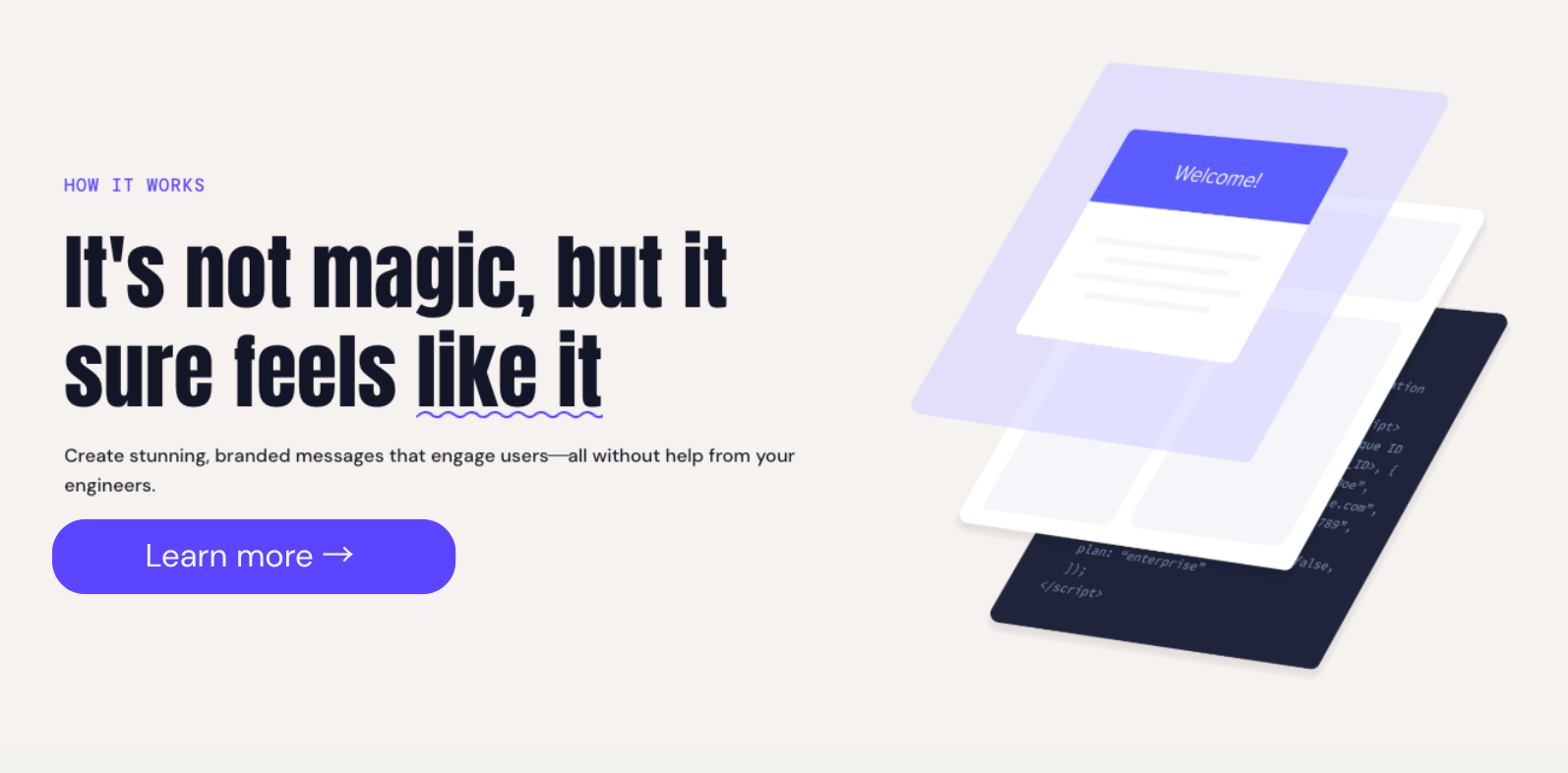
Every effective onboarding strategy is built on a few foundational components. Think of these as the building blocks: get them right, and everything else - personalization, multichannel messaging, and beyond - has a solid foundation to build on.
The first time a customer realizes the true value of your product is often called the "aha" moment because it fundamentally changes their relationship with your product. Through one critical retention event, the user goes from hoping your product will solve their problem to understanding exactly how it will.
You can't afford to leave reaching that moment to chance. Your onboarding process needs to guide users there quickly and deliberately.
"Your app's technical specs, development innovations, and success metrics should all take a backseat to the actual benefits it provides your users," says Martin Gontovnikas, co-founder of HyperGrowth Partners and ex-SVP of marketing and growth at Auth0.
Your customers' behavioral data will reveal what event in their user journey triggers activation. The critical retention event usually centers around the completion of a company's original value proposition. For a marketing automation platform, it might be sending a first campaign. For an analytics tool, it might be seeing data populate a dashboard for the first time. Every onboarding decision you make should orient around getting users to that moment faster.
Time to value (TTV) is the elapsed time between signup and the moment a user gets meaningful value from your product. It's closely tied to the aha moment, but it adds a critical dimension: speed. Reaching the aha moment in ten minutes is a fundamentally different experience than reaching it in ten days.
TTV matters because it's the strategic anchor for every onboarding decision. Every step in your signup flow, every required field, every extra screen should be evaluated through one lens: does this move the user closer to value, or does it slow them down?
A practical way to audit your TTV: map the complete journey from signup to aha moment, then challenge every step against one question: does this move users closer to value? If a step doesn't directly contribute to the user reaching value, eliminate it or defer it to later. For example, a team using Appcues might build a streamlined onboarding flow that skips non-essential setup tasks and routes users straight to the action that delivers their first win. The goal is a direct path, not a scenic route.
Good customer research enables companies to build onboarding experiences that speak directly to what users want and need. A product with a thousand features but no clear path to value is a product users abandon. Alternatively, products built with a customer's needs in mind are more likely to be used - and kept.
When you research your customers before optimizing your onboarding process, you'll understand what draws them to your product in the first place and what "success" looks like from their perspective. Start with jobs-to-be-done mapping: what is the user actually trying to accomplish, and how does your product fit into that workflow?
Qualitative research methods give you the "why" behind user behavior:
These work well for both new and existing products. But the feedback you gain will be qualitative, not quantitative. If you have an established product, you can gain quantitative customer feedback using:
A welcome survey is a short in-app questionnaire shown on first login that asks users about their role, goals, or use case. It takes thirty seconds to complete, and it gives you everything you need to personalize the onboarding experience from the very first session.
Why this matters: segmentation data lets you route each user to the right path from the start. A product manager heads to an analytics-focused onboarding path while a marketer sees campaign-building tutorials. The experience feels tailored because it is.
Effective welcome survey questions tend to be simple and high-signal:
Tools like Appcues make it straightforward to build and deploy welcome surveys with minimal engineering lift, then use the responses to trigger different onboarding flows automatically.
Product tours and walkthroughs help prevent customers from getting lost on the way to their aha moment. A product tour uses in-app messaging like modals and slideouts to guide customers from Point A to Point B to Point "Cool, I got the hang of this!"
The best product tours provide guidance in the fewest steps possible. Customers don't appreciate being interrupted every three seconds with a Microsoft Clippy-level of zeal. Too many in-app messages can actually break a user's experience instead of smoothing it over.
The principle to follow here is progressive disclosure: show users only what they need at each stage, and reveal more as they advance. Instead of dumping every feature on a new user at once, surface the next relevant action.
Onboarding checklists deserve special attention here. A well-designed checklist gives users a visible roadmap of what to do next, which reduces the cognitive load of figuring out where to start. Checklists also tap into the psychology of completion: users who see three out of five steps checked off feel motivated to finish the rest. The best onboarding checklists are short and focused on high-value actions. Keep them to three to five items, and make them disappear once the user has completed them. Pair a checklist with contextual tooltips, and you have a lightweight system that guides without overwhelming.
Empty states are the blank screens users see before they've created any data - an empty dashboard, a blank project list, a report with no results. These moments are more critical than most teams realize. An empty screen communicates nothing about your product's value. Worse, it can feel overwhelming or broken.
Good empty state design turns a dead end into a prompt for action. Two approaches work well: first, populate the screen with sample data or templates that show what the product looks like when it's in use (Notion does this effectively with its pre-built templates for new workspaces). Second, replace the blank space with an action-oriented CTA that guides users to create their first item - "Create your first project," "Import your contacts," "Build your first flow." Either way, the empty state should answer the user's implicit question: "What do I do now?"
With the foundations in place, here are the best practices that separate good onboarding from great onboarding. Each one is actionable and backed by real-world results.
Everyone comes to your product from different experiences and with different goals, and your onboarding experience should reflect this. 90% of customers find personalization attractive, and 80% are more likely to engage with a business that offers personalized experiences.
Personalization does more than attract users to your product - it keeps them there. A personalized onboarding process meets users on their level and routes them toward the right aha moment for their specific use case.
Canva does this well. At signup, Canva asks what you'll use the tool for - social media, presentations, marketing materials - and immediately routes you to relevant templates and tutorials. A teacher sees classroom-ready designs. A marketer sees brand kit tools. The product feels purpose-built for each user from the very first screen.
To apply this in your own product, implement separate onboarding flows based on user segments. A product manager exploring your analytics features needs a different path than a marketer focused on campaign engagement. Even a simple 1-2 question survey at signup can power dramatically different onboarding experiences.
AI enables onboarding that adapts based on what a user actually does in your product, not just what they said they'd do at signup. AI-powered onboarding responds to real-time behavior, adjusting the next step and surfacing relevant help based on what users actually do in your product.
Here's how teams are using AI in onboarding today:
The key is keeping this grounded. AI in onboarding isn't about replacing human judgment in flow design. It's about making your existing onboarding smarter by responding to signals you couldn't act on manually. Appcues AI includes agents like Experience Builder and Segmentation Planner that help teams move faster on exactly this kind of real-time personalization.
Gontovnikas says, "Asking users to make too many decisions early in the onboarding process will mentally exhaust them, until they're not interested in your service anymore." This is backed by data: 11% of web visitors admit to bailing on a purchase because the site asked for too much information up front.
Don't bog down the onboarding experience by asking for unnecessary details before users have a chance to reach their aha moment. Ask yourself: what information do we absolutely need from a user before they get started?
In many cases, the question is less about what info is needed and more about when it's needed. Take billing information as an example. Requiring payment details before a free trial even starts is a significant friction point - you haven't established any value yet. Instead, prioritize essentials like a username and password upfront so the user can get moving. Collect billing details, demographic information, and other non-essential data later in the process, ideally after the user has experienced enough value to be invested.
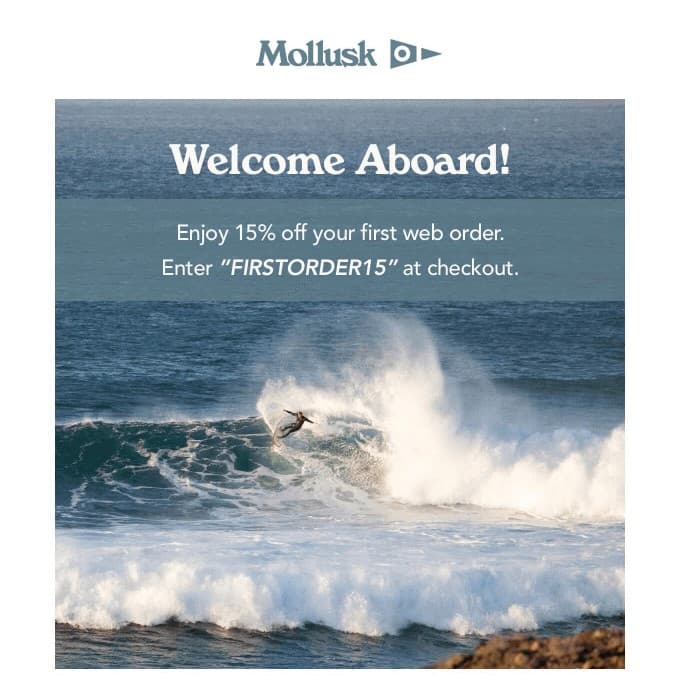
Onboarding shouldn't live exclusively inside your product. The best onboarding experiences extend across channels - in-app, email, and push - to reach users wherever they are in their journey.
Welcome emails are your first touchpoint outside the product. They greet users at the moment they're most engaged with your brand and can fast-track them to their critical retention event. High-impact welcome emails combine personalized subject lines with a clear, direct CTA that sends users right back into the product.
But email is just one channel. In-app messaging works best for users who are actively in your product - guiding them to the next step, celebrating milestones, or surfacing features they haven't tried. For users who've gone quiet, email re-engagement sequences can remind them why they signed up. And for mobile products, push notifications can pull users back at the right moment with timely, relevant prompts.
A well-structured email sequence can carry a lot of the onboarding weight outside your product. A practical framework: send a welcome and confirmation email immediately after signup. Follow up at day two with a value reminder that highlights the one action that matters most. At day five, spotlight a feature the user hasn't tried yet. Around day seven, include social proof (a customer quote or usage stat) that reinforces their decision to sign up. If the user has gone inactive at any point, trigger a re-engagement email that acknowledges the gap and offers a direct link back to where they left off. Each email should have one job and one CTA. Don't try to do everything in a single message.
The key is coordination: each channel should complement the others, not repeat the same message. A user who just completed onboarding step three in-app doesn't need an email telling them to do the same thing.
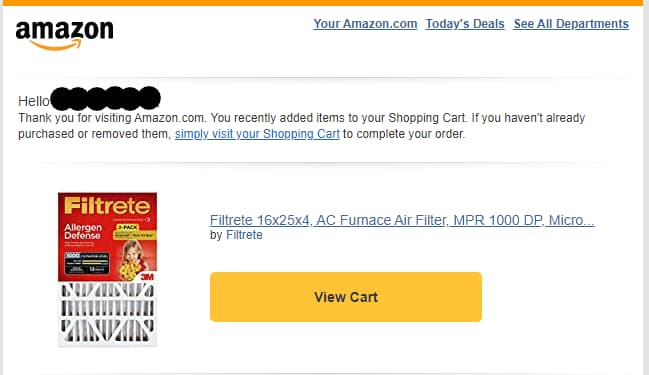
Users are in an evaluation mindset during onboarding. They've signed up, but they haven't committed. Social proof reduces the uncertainty of that moment by showing that other people and teams are succeeding with your product.
A few tactical ways to weave social proof into onboarding:
Social proof doesn't need to be heavy-handed. A well-placed stat or quote at the right moment reassures users that they're on the right track.
Even the most effective onboarding process will lose a few new users along the way. You should monitor your customers' behavioral data as they move through onboarding to see who has stopped progressing and needs a nudge in the right direction.
Sending gentle prompts to users helps refocus them on their aha moment. In-app notifications can remind users that they haven't completed essential tasks, but this only works for people who are still opening the product. Users who've gone quiet entirely are best reached via email that reminds them of the reason they started using the product in the first place.
For example, if a user signs up for your platform but hasn't completed their account setup after three days, an automated email highlighting the one key action they're missing - with a direct link to pick up where they left off - can be the difference between a churned user and an activated one. Pair that with an in-app prompt for when they do return, and you've covered both scenarios.
Sometimes the best way to retain new users is to treat your onboarding flows as living systems, not one-time builds. A/B testing helps determine how changes to onboarding flows impact the customer journey. Want to know if adding a checklist improves activation? Build two cohorts and compare.
The key to successful A/B testing is user segmentation. Build cohorts of behaviorally similar users to get a reliable sense of how changes perform. Segments can be created by grouping users by behavior, demographic, product version, or geography.
Beyond testing, track the onboarding metrics that actually reveal onboarding health:
These metrics tell you where your onboarding is working and where it's leaking. But metrics alone aren't enough. You need a framework for acting on them:
For benchmarking context: median time to value for simple SaaS products (single-purpose tools, lightweight setup) is typically under one day. For complex platforms with integrations and team setup, one to two weeks is common. If your TTV significantly exceeds these ranges, your onboarding flow likely has unnecessary steps or unclear guidance.
Review these metrics regularly, form hypotheses, test changes, and iterate. The best onboarding optimization happens when teams treat their flows as living systems that improve with every cycle.
Even well-intentioned onboarding can go sideways. Here are the most common mistakes we see, along with how to fix them.
1. Front-loading too much information. It's tempting to show users everything your product can do on day one. But overwhelming new users with features they don't need yet is one of the fastest ways to lose them. The fix: progressive disclosure. Surface only what's relevant at each stage, and reveal more as users advance through their journey.
2. Building one-size-fits-all onboarding. A product manager, a marketer, and a customer success lead all have different goals when they sign up for your product. Sending them all through the same onboarding flow means at least two of them are getting a mediocre experience. The fix: segment users by role, use case, or goal at signup, then route them through tailored flows that match their needs.
3. Treating onboarding as a one-time event. If your onboarding ends after the first session, you're leaving value on the table. Users who signed up last week but haven't hit a key milestone still need guidance. Users who've been active for a month but haven't discovered a core feature still need onboarding. The fix: design a multi-session onboarding arc that continues to surface value over time, not just during the first five minutes.
4. Not measuring onboarding performance. If you can't see where users drop off, you can't fix what's broken. Many teams build an onboarding flow, ship it, and never revisit it. The fix: track activation rate, time to value, and completion rate from day one. Use that data to identify friction points and run targeted experiments.
Theory is useful, but seeing these strategies in action makes them stick. Here's how three well-known SaaS companies approach user onboarding - and what you can learn from each. (For more inspiration, check out these user onboarding examples.)
Slack's onboarding is a masterclass in friction reduction and value-first design. Instead of walking new users through every feature the platform offers, Slack focuses on one thing: getting you to send your first message.
The signup flow is minimal - name, email, workspace name - and within minutes, you're inside the product. Slack uses a bot (Slackbot) to guide you through the basics interactively. You learn by doing, not by reading. The onboarding also prompts you to invite teammates early, which is smart because Slack's value multiplies with each person who joins. A single user in an empty workspace doesn't experience much value, but a small team exchanging messages immediately sees why Slack beats email for quick collaboration.
The lesson: identify the one action that unlocks your product's core value, and build your entire onboarding flow around making that action happen as fast as possible.
Canva nails personalization by asking a simple question at signup: "What will you be using Canva for?" Options include social media, presentations, personal projects, education, and more.
This single question powers the entire onboarding experience. Based on your answer, Canva surfaces relevant templates, tutorials, and design tools immediately. A social media manager sees Instagram story templates. A teacher sees worksheet layouts. The experience feels purpose-built from the start, even though the underlying product is the same for everyone.
Canva also lowers the barrier to the aha moment by letting new users start designing before they even finish setting up their account. You pick a template, customize it, and see a finished design within minutes. That quick win builds confidence and momentum.
The lesson: a short, well-placed survey at signup can dramatically improve the relevance of your onboarding - and a fast first win keeps users moving forward.
HubSpot takes a multi-session, multichannel approach to onboarding that matches the complexity of its platform. Instead of trying to onboard users to everything at once, HubSpot uses a step-by-step setup flow that breaks account configuration into manageable chunks: connect your email, import contacts, set up a pipeline.
What makes HubSpot's approach stand out is how it extends onboarding beyond the product itself. New users receive a coordinated sequence of in-app checklists and email tips, plus access to HubSpot Academy - a library of short courses and certifications. Each channel reinforces the others. If you stall on a setup step in-app, an email might nudge you with a helpful resource. If you complete a course in the Academy, the product reflects your progress.
The lesson: for complex products, onboarding should be a multi-week arc delivered across channels - not a single walkthrough. Meet users where they are and give them multiple paths to value.
Here's a recap of the core user onboarding strategies covered in this guide:
Your recommended next step: audit your current onboarding flow. Identify your aha moment, map where users are dropping off, and apply these strategies one at a time - starting with whichever gap is costing you the most users.
Appcues helps teams build personalized, multichannel onboarding experiences that get users to value faster - without waiting on engineering. Book a demo to see how it works.
Product Adoption
Retention & Churn
User Onboarding & Adoption Metrics
AI
TL;DR
Here's the uncomfortable math behind user onboarding: 80% of users churn within just three days of downloading a mobile app. That means four out of five people who sign up never stick around long enough to understand what your product can do for them. They leave before they experience value.
At the same time, the cost of acquiring new users keeps climbing. Paid channels are more expensive and organic growth takes longer. Competition for every user's attention has never been tighter. The math points to one clear conclusion: retention is where growth compounds. A 5% increase in customer retention rate can boost profitability by 25%, according to Bain & Company. And that doesn't account for the ripple effect of satisfied customers praising your product to six or more people they know.
This is why user onboarding strategies matter more than ever. Your onboarding process is the bridge between a new signup and a loyal user. When onboarding works, acquisition spend compounds into long-term revenue instead of leaking out through early churn.
The rest of this guide provides a framework for building product-led onboarding that gets users to value fast and keeps them engaged. We'll cover the core components of an effective onboarding strategy, best practices backed by real data (including how AI is changing the game), common mistakes that silently kill retention, and examples from companies that get it right.
User onboarding is the full experience of guiding a new user from their first interaction with your product to the point where they're getting repeatable value from it. It's not a product tour or a welcome modal, and it definitely doesn't end after day one.
A complete product onboarding process includes everything that helps a user find their footing: the signup flow, in-app guidance like tooltips and checklists, email sequences that reinforce next steps, and ongoing feature discovery that keeps expanding the value a user gets over time. It spans multiple sessions, multiple channels, and often multiple weeks.
The misconception that trips most teams up is treating onboarding as a one-time setup wizard. The user creates an account, clicks through a few screens, and onboarding is "done." But onboarding is an ongoing process. A user who completed signup last week but hasn't hit a key milestone is still onboarding. A user who's been active for a month but hasn't discovered a core feature is still onboarding.
Think about what good SaaS onboarding looks like end-to-end. A project management tool, for example, doesn't just show you where the buttons are. It helps you create your first project and invite a teammate - so you experience the value of collaboration before you ever think about whether to keep using it. Each of those moments is designed and sequenced deliberately.
When we talk about user onboarding strategies in this guide, we're talking about the deliberate decisions you make across that entire arc - from the first click to the point where your product becomes part of a user's workflow.
The business case for investing in onboarding is straightforward: retention is where growth compounds. Users who complete onboarding typically retain at two to three times the rate of those who don't. That gap shows up directly in revenue, because improving retention through better onboarding is dramatically cheaper than replacing churned users with new acquisition spend.
The impact goes beyond individual user retention. Every user who churns before reaching value is acquisition spend wasted, and every support ticket from a confused new user is a symptom of onboarding that isn't doing its job. Strong onboarding reduces churn and builds the foundation for product-led growth, where your product itself becomes the primary driver of expansion and advocacy.
Every effective onboarding strategy is built on a few foundational components. Think of these as the building blocks: get them right, and everything else - personalization, multichannel messaging, and beyond - has a solid foundation to build on.
The first time a customer realizes the true value of your product is often called the "aha" moment because it fundamentally changes their relationship with your product. Through one critical retention event, the user goes from hoping your product will solve their problem to understanding exactly how it will.
You can't afford to leave reaching that moment to chance. Your onboarding process needs to guide users there quickly and deliberately.
"Your app's technical specs, development innovations, and success metrics should all take a backseat to the actual benefits it provides your users," says Martin Gontovnikas, co-founder of HyperGrowth Partners and ex-SVP of marketing and growth at Auth0.
Your customers' behavioral data will reveal what event in their user journey triggers activation. The critical retention event usually centers around the completion of a company's original value proposition. For a marketing automation platform, it might be sending a first campaign. For an analytics tool, it might be seeing data populate a dashboard for the first time. Every onboarding decision you make should orient around getting users to that moment faster.
Time to value (TTV) is the elapsed time between signup and the moment a user gets meaningful value from your product. It's closely tied to the aha moment, but it adds a critical dimension: speed. Reaching the aha moment in ten minutes is a fundamentally different experience than reaching it in ten days.
TTV matters because it's the strategic anchor for every onboarding decision. Every step in your signup flow, every required field, every extra screen should be evaluated through one lens: does this move the user closer to value, or does it slow them down?
A practical way to audit your TTV: map the complete journey from signup to aha moment, then challenge every step against one question: does this move users closer to value? If a step doesn't directly contribute to the user reaching value, eliminate it or defer it to later. For example, a team using Appcues might build a streamlined onboarding flow that skips non-essential setup tasks and routes users straight to the action that delivers their first win. The goal is a direct path, not a scenic route.
Good customer research enables companies to build onboarding experiences that speak directly to what users want and need. A product with a thousand features but no clear path to value is a product users abandon. Alternatively, products built with a customer's needs in mind are more likely to be used - and kept.
When you research your customers before optimizing your onboarding process, you'll understand what draws them to your product in the first place and what "success" looks like from their perspective. Start with jobs-to-be-done mapping: what is the user actually trying to accomplish, and how does your product fit into that workflow?
Qualitative research methods give you the "why" behind user behavior:
These work well for both new and existing products. But the feedback you gain will be qualitative, not quantitative. If you have an established product, you can gain quantitative customer feedback using:
A welcome survey is a short in-app questionnaire shown on first login that asks users about their role, goals, or use case. It takes thirty seconds to complete, and it gives you everything you need to personalize the onboarding experience from the very first session.
Why this matters: segmentation data lets you route each user to the right path from the start. A product manager heads to an analytics-focused onboarding path while a marketer sees campaign-building tutorials. The experience feels tailored because it is.
Effective welcome survey questions tend to be simple and high-signal:
Tools like Appcues make it straightforward to build and deploy welcome surveys with minimal engineering lift, then use the responses to trigger different onboarding flows automatically.
Product tours and walkthroughs help prevent customers from getting lost on the way to their aha moment. A product tour uses in-app messaging like modals and slideouts to guide customers from Point A to Point B to Point "Cool, I got the hang of this!"
The best product tours provide guidance in the fewest steps possible. Customers don't appreciate being interrupted every three seconds with a Microsoft Clippy-level of zeal. Too many in-app messages can actually break a user's experience instead of smoothing it over.
The principle to follow here is progressive disclosure: show users only what they need at each stage, and reveal more as they advance. Instead of dumping every feature on a new user at once, surface the next relevant action.
Onboarding checklists deserve special attention here. A well-designed checklist gives users a visible roadmap of what to do next, which reduces the cognitive load of figuring out where to start. Checklists also tap into the psychology of completion: users who see three out of five steps checked off feel motivated to finish the rest. The best onboarding checklists are short and focused on high-value actions. Keep them to three to five items, and make them disappear once the user has completed them. Pair a checklist with contextual tooltips, and you have a lightweight system that guides without overwhelming.
Empty states are the blank screens users see before they've created any data - an empty dashboard, a blank project list, a report with no results. These moments are more critical than most teams realize. An empty screen communicates nothing about your product's value. Worse, it can feel overwhelming or broken.
Good empty state design turns a dead end into a prompt for action. Two approaches work well: first, populate the screen with sample data or templates that show what the product looks like when it's in use (Notion does this effectively with its pre-built templates for new workspaces). Second, replace the blank space with an action-oriented CTA that guides users to create their first item - "Create your first project," "Import your contacts," "Build your first flow." Either way, the empty state should answer the user's implicit question: "What do I do now?"
Every effective onboarding strategy is built on a few foundational components. Think of these as the building blocks: get them right, and everything else - personalization, multichannel messaging, and beyond - has a solid foundation to build on.
The first time a customer realizes the true value of your product is often called the "aha" moment because it fundamentally changes their relationship with your product. Through one critical retention event, the user goes from hoping your product will solve their problem to understanding exactly how it will.
You can't afford to leave reaching that moment to chance. Your onboarding process needs to guide users there quickly and deliberately.
"Your app's technical specs, development innovations, and success metrics should all take a backseat to the actual benefits it provides your users," says Martin Gontovnikas, co-founder of HyperGrowth Partners and ex-SVP of marketing and growth at Auth0.
Your customers' behavioral data will reveal what event in their user journey triggers activation. The critical retention event usually centers around the completion of a company's original value proposition. For a marketing automation platform, it might be sending a first campaign. For an analytics tool, it might be seeing data populate a dashboard for the first time. Every onboarding decision you make should orient around getting users to that moment faster.
Time to value (TTV) is the elapsed time between signup and the moment a user gets meaningful value from your product. It's closely tied to the aha moment, but it adds a critical dimension: speed. Reaching the aha moment in ten minutes is a fundamentally different experience than reaching it in ten days.
TTV matters because it's the strategic anchor for every onboarding decision. Every step in your signup flow, every required field, every extra screen should be evaluated through one lens: does this move the user closer to value, or does it slow them down?
A practical way to audit your TTV: map the complete journey from signup to aha moment, then challenge every step against one question: does this move users closer to value? If a step doesn't directly contribute to the user reaching value, eliminate it or defer it to later. For example, a team using Appcues might build a streamlined onboarding flow that skips non-essential setup tasks and routes users straight to the action that delivers their first win. The goal is a direct path, not a scenic route.
Good customer research enables companies to build onboarding experiences that speak directly to what users want and need. A product with a thousand features but no clear path to value is a product users abandon. Alternatively, products built with a customer's needs in mind are more likely to be used - and kept.
When you research your customers before optimizing your onboarding process, you'll understand what draws them to your product in the first place and what "success" looks like from their perspective. Start with jobs-to-be-done mapping: what is the user actually trying to accomplish, and how does your product fit into that workflow?
Qualitative research methods give you the "why" behind user behavior:
These work well for both new and existing products. But the feedback you gain will be qualitative, not quantitative. If you have an established product, you can gain quantitative customer feedback using:
A welcome survey is a short in-app questionnaire shown on first login that asks users about their role, goals, or use case. It takes thirty seconds to complete, and it gives you everything you need to personalize the onboarding experience from the very first session.
Why this matters: segmentation data lets you route each user to the right path from the start. A product manager heads to an analytics-focused onboarding path while a marketer sees campaign-building tutorials. The experience feels tailored because it is.
Effective welcome survey questions tend to be simple and high-signal:
Tools like Appcues make it straightforward to build and deploy welcome surveys with minimal engineering lift, then use the responses to trigger different onboarding flows automatically.
Product tours and walkthroughs help prevent customers from getting lost on the way to their aha moment. A product tour uses in-app messaging like modals and slideouts to guide customers from Point A to Point B to Point "Cool, I got the hang of this!"
The best product tours provide guidance in the fewest steps possible. Customers don't appreciate being interrupted every three seconds with a Microsoft Clippy-level of zeal. Too many in-app messages can actually break a user's experience instead of smoothing it over.
The principle to follow here is progressive disclosure: show users only what they need at each stage, and reveal more as they advance. Instead of dumping every feature on a new user at once, surface the next relevant action.
Onboarding checklists deserve special attention here. A well-designed checklist gives users a visible roadmap of what to do next, which reduces the cognitive load of figuring out where to start. Checklists also tap into the psychology of completion: users who see three out of five steps checked off feel motivated to finish the rest. The best onboarding checklists are short and focused on high-value actions. Keep them to three to five items, and make them disappear once the user has completed them. Pair a checklist with contextual tooltips, and you have a lightweight system that guides without overwhelming.
Empty states are the blank screens users see before they've created any data - an empty dashboard, a blank project list, a report with no results. These moments are more critical than most teams realize. An empty screen communicates nothing about your product's value. Worse, it can feel overwhelming or broken.
Good empty state design turns a dead end into a prompt for action. Two approaches work well: first, populate the screen with sample data or templates that show what the product looks like when it's in use (Notion does this effectively with its pre-built templates for new workspaces). Second, replace the blank space with an action-oriented CTA that guides users to create their first item - "Create your first project," "Import your contacts," "Build your first flow." Either way, the empty state should answer the user's implicit question: "What do I do now?"
With the foundations in place, here are the best practices that separate good onboarding from great onboarding. Each one is actionable and backed by real-world results.
Everyone comes to your product from different experiences and with different goals, and your onboarding experience should reflect this. 90% of customers find personalization attractive, and 80% are more likely to engage with a business that offers personalized experiences.
Personalization does more than attract users to your product - it keeps them there. A personalized onboarding process meets users on their level and routes them toward the right aha moment for their specific use case.
Canva does this well. At signup, Canva asks what you'll use the tool for - social media, presentations, marketing materials - and immediately routes you to relevant templates and tutorials. A teacher sees classroom-ready designs. A marketer sees brand kit tools. The product feels purpose-built for each user from the very first screen.
To apply this in your own product, implement separate onboarding flows based on user segments. A product manager exploring your analytics features needs a different path than a marketer focused on campaign engagement. Even a simple 1-2 question survey at signup can power dramatically different onboarding experiences.
AI enables onboarding that adapts based on what a user actually does in your product, not just what they said they'd do at signup. AI-powered onboarding responds to real-time behavior, adjusting the next step and surfacing relevant help based on what users actually do in your product.
Here's how teams are using AI in onboarding today:
The key is keeping this grounded. AI in onboarding isn't about replacing human judgment in flow design. It's about making your existing onboarding smarter by responding to signals you couldn't act on manually. Appcues AI includes agents like Experience Builder and Segmentation Planner that help teams move faster on exactly this kind of real-time personalization.
Gontovnikas says, "Asking users to make too many decisions early in the onboarding process will mentally exhaust them, until they're not interested in your service anymore." This is backed by data: 11% of web visitors admit to bailing on a purchase because the site asked for too much information up front.
Don't bog down the onboarding experience by asking for unnecessary details before users have a chance to reach their aha moment. Ask yourself: what information do we absolutely need from a user before they get started?
In many cases, the question is less about what info is needed and more about when it's needed. Take billing information as an example. Requiring payment details before a free trial even starts is a significant friction point - you haven't established any value yet. Instead, prioritize essentials like a username and password upfront so the user can get moving. Collect billing details, demographic information, and other non-essential data later in the process, ideally after the user has experienced enough value to be invested.
Onboarding shouldn't live exclusively inside your product. The best onboarding experiences extend across channels - in-app, email, and push - to reach users wherever they are in their journey.
Welcome emails are your first touchpoint outside the product. They greet users at the moment they're most engaged with your brand and can fast-track them to their critical retention event. High-impact welcome emails combine personalized subject lines with a clear, direct CTA that sends users right back into the product.
But email is just one channel. In-app messaging works best for users who are actively in your product - guiding them to the next step, celebrating milestones, or surfacing features they haven't tried. For users who've gone quiet, email re-engagement sequences can remind them why they signed up. And for mobile products, push notifications can pull users back at the right moment with timely, relevant prompts.
A well-structured email sequence can carry a lot of the onboarding weight outside your product. A practical framework: send a welcome and confirmation email immediately after signup. Follow up at day two with a value reminder that highlights the one action that matters most. At day five, spotlight a feature the user hasn't tried yet. Around day seven, include social proof (a customer quote or usage stat) that reinforces their decision to sign up. If the user has gone inactive at any point, trigger a re-engagement email that acknowledges the gap and offers a direct link back to where they left off. Each email should have one job and one CTA. Don't try to do everything in a single message.
The key is coordination: each channel should complement the others, not repeat the same message. A user who just completed onboarding step three in-app doesn't need an email telling them to do the same thing.
Users are in an evaluation mindset during onboarding. They've signed up, but they haven't committed. Social proof reduces the uncertainty of that moment by showing that other people and teams are succeeding with your product.
A few tactical ways to weave social proof into onboarding:
Social proof doesn't need to be heavy-handed. A well-placed stat or quote at the right moment reassures users that they're on the right track.
Even the most effective onboarding process will lose a few new users along the way. You should monitor your customers' behavioral data as they move through onboarding to see who has stopped progressing and needs a nudge in the right direction.
Sending gentle prompts to users helps refocus them on their aha moment. In-app notifications can remind users that they haven't completed essential tasks, but this only works for people who are still opening the product. Users who've gone quiet entirely are best reached via email that reminds them of the reason they started using the product in the first place.
For example, if a user signs up for your platform but hasn't completed their account setup after three days, an automated email highlighting the one key action they're missing - with a direct link to pick up where they left off - can be the difference between a churned user and an activated one. Pair that with an in-app prompt for when they do return, and you've covered both scenarios.
Sometimes the best way to retain new users is to treat your onboarding flows as living systems, not one-time builds. A/B testing helps determine how changes to onboarding flows impact the customer journey. Want to know if adding a checklist improves activation? Build two cohorts and compare.
The key to successful A/B testing is user segmentation. Build cohorts of behaviorally similar users to get a reliable sense of how changes perform. Segments can be created by grouping users by behavior, demographic, product version, or geography.
Beyond testing, track the onboarding metrics that actually reveal onboarding health:
These metrics tell you where your onboarding is working and where it's leaking. But metrics alone aren't enough. You need a framework for acting on them:
For benchmarking context: median time to value for simple SaaS products (single-purpose tools, lightweight setup) is typically under one day. For complex platforms with integrations and team setup, one to two weeks is common. If your TTV significantly exceeds these ranges, your onboarding flow likely has unnecessary steps or unclear guidance.
Review these metrics regularly, form hypotheses, test changes, and iterate. The best onboarding optimization happens when teams treat their flows as living systems that improve with every cycle.
Even well-intentioned onboarding can go sideways. Here are the most common mistakes we see, along with how to fix them.
1. Front-loading too much information. It's tempting to show users everything your product can do on day one. But overwhelming new users with features they don't need yet is one of the fastest ways to lose them. The fix: progressive disclosure. Surface only what's relevant at each stage, and reveal more as users advance through their journey.
2. Building one-size-fits-all onboarding. A product manager, a marketer, and a customer success lead all have different goals when they sign up for your product. Sending them all through the same onboarding flow means at least two of them are getting a mediocre experience. The fix: segment users by role, use case, or goal at signup, then route them through tailored flows that match their needs.
3. Treating onboarding as a one-time event. If your onboarding ends after the first session, you're leaving value on the table. Users who signed up last week but haven't hit a key milestone still need guidance. Users who've been active for a month but haven't discovered a core feature still need onboarding. The fix: design a multi-session onboarding arc that continues to surface value over time, not just during the first five minutes.
4. Not measuring onboarding performance. If you can't see where users drop off, you can't fix what's broken. Many teams build an onboarding flow, ship it, and never revisit it. The fix: track activation rate, time to value, and completion rate from day one. Use that data to identify friction points and run targeted experiments.
Theory is useful, but seeing these strategies in action makes them stick. Here's how three well-known SaaS companies approach user onboarding - and what you can learn from each. (For more inspiration, check out these user onboarding examples.)
Slack's onboarding is a masterclass in friction reduction and value-first design. Instead of walking new users through every feature the platform offers, Slack focuses on one thing: getting you to send your first message.
The signup flow is minimal - name, email, workspace name - and within minutes, you're inside the product. Slack uses a bot (Slackbot) to guide you through the basics interactively. You learn by doing, not by reading. The onboarding also prompts you to invite teammates early, which is smart because Slack's value multiplies with each person who joins. A single user in an empty workspace doesn't experience much value, but a small team exchanging messages immediately sees why Slack beats email for quick collaboration.
The lesson: identify the one action that unlocks your product's core value, and build your entire onboarding flow around making that action happen as fast as possible.
Canva nails personalization by asking a simple question at signup: "What will you be using Canva for?" Options include social media, presentations, personal projects, education, and more.
This single question powers the entire onboarding experience. Based on your answer, Canva surfaces relevant templates, tutorials, and design tools immediately. A social media manager sees Instagram story templates. A teacher sees worksheet layouts. The experience feels purpose-built from the start, even though the underlying product is the same for everyone.
Canva also lowers the barrier to the aha moment by letting new users start designing before they even finish setting up their account. You pick a template, customize it, and see a finished design within minutes. That quick win builds confidence and momentum.
The lesson: a short, well-placed survey at signup can dramatically improve the relevance of your onboarding - and a fast first win keeps users moving forward.
HubSpot takes a multi-session, multichannel approach to onboarding that matches the complexity of its platform. Instead of trying to onboard users to everything at once, HubSpot uses a step-by-step setup flow that breaks account configuration into manageable chunks: connect your email, import contacts, set up a pipeline.
What makes HubSpot's approach stand out is how it extends onboarding beyond the product itself. New users receive a coordinated sequence of in-app checklists and email tips, plus access to HubSpot Academy - a library of short courses and certifications. Each channel reinforces the others. If you stall on a setup step in-app, an email might nudge you with a helpful resource. If you complete a course in the Academy, the product reflects your progress.
The lesson: for complex products, onboarding should be a multi-week arc delivered across channels - not a single walkthrough. Meet users where they are and give them multiple paths to value.
Here's a recap of the core user onboarding strategies covered in this guide:
Your recommended next step: audit your current onboarding flow. Identify your aha moment, map where users are dropping off, and apply these strategies one at a time - starting with whichever gap is costing you the most users.
Appcues helps teams build personalized, multichannel onboarding experiences that get users to value faster - without waiting on engineering. Book a demo to see how it works.

Sign up for Quickcues and get our monthly updates!
.svg)


