.jpeg)
.png)

16 tools, five categories. We evaluated free, mid-range, and premium product roadmap tools - organized by team size, budget, and workflow so you can skip to the section that matters. AI-powered features are now a key differentiator across the category.
Structured for fast decisions. Every tool includes pros, cons, pricing, and a "best for" callout. A side-by-side comparison table at the end does the shortlisting work for you.
Built for product managers. Whether you are a solo PM at a startup or running a multi-team roadmap at an enterprise, this guide covers the right fit.
Product roadmap tools are one of those categories where the sheer number of options makes the choice harder, not easier. There are lightweight free tools, dedicated roadmap platforms, and project management suites that bolt on roadmap features as an afterthought. Picking the wrong one means either outgrowing it in six months or paying for capabilities you will never touch. And in 2026, AI features are reshaping the category - from automated prioritization and feedback analysis to predictive resource planning - adding another dimension to the evaluation.
We built this guide to cut through that noise. We evaluated 16 tools based on real-world usage patterns, prioritization capabilities, integration ecosystems, and pricing transparency. Each tool was assessed for a specific use case - so a free spreadsheet is not competing against an enterprise platform, and a dedicated roadmap tool is not judged by how well it handles sprint planning. The result is a list organized into five categories, from free and lightweight options to enterprise-grade tools, so you can skip to the section that matches your team and budget.
A product roadmap tool is software that helps product teams plan , visualize, and communicate what they are building and why. At its simplest, it is a shared view of priorities, timelines, and strategic goals that keeps everyone - from engineering to leadership - aligned on what is coming next.
Product managers, product ops leads, and heads of product are the primary users. But the audience is wider: roadmaps are how you get buy-in from executives, set expectations with customers, and coordinate across engineering, design, and go-to-market teams.
Why do they matter? Because a product roadmap without a tool to support it tends to live in someone's head, a stale slide deck, or a spreadsheet that three people maintain and nobody trusts. According to ProductPlan's 2024 State of Product Management report, 56% of product teams cited cross-functional alignment as their top challenge. Dedicated roadmap tools solve that by making the plan visible, shareable, and easy to update as priorities shift. For example, a team using Productboard can link customer feedback requests directly to roadmap items, so when an executive asks "why are we building this?", the answer is one click away.
%20(1)%20(1).png)
Not every roadmap tool is built for the same team, stage, or workflow. Before you commit, run your options through these six criteria:
Weight these criteria based on your team's biggest pain point. If alignment is the issue, prioritize collaboration. If prioritization debates are slowing you down, lean toward tools with built-in scoring frameworks. For example, a 10-person product team using Jira for sprint work might save hours per week by choosing a roadmap tool like Aha! or airfocus that integrates directly with Jira, rather than manually copying epics between tools.
Best for: Early-stage teams and PMs who want full control without paying a dime.
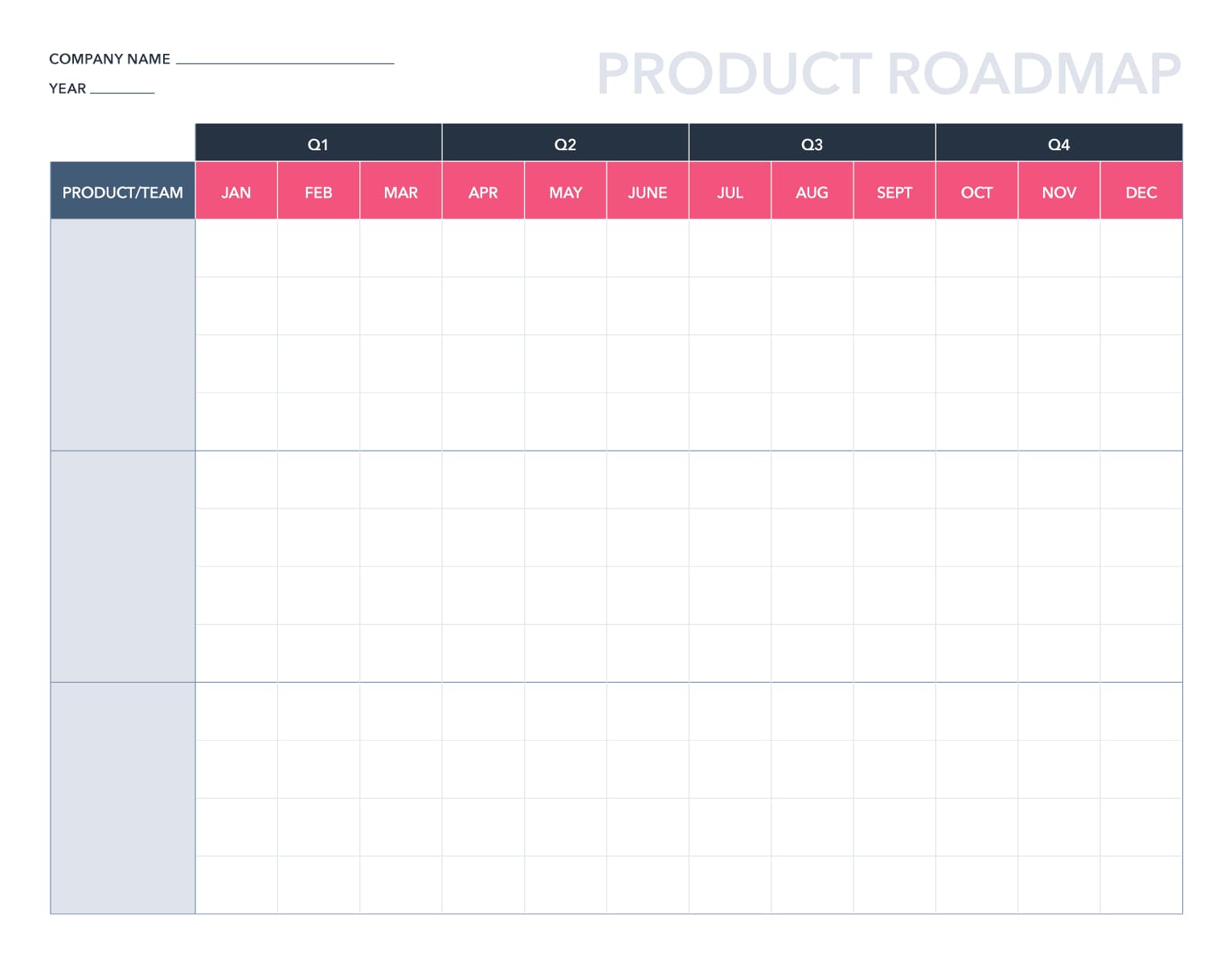
Google Sheets is not a roadmap tool. It is a spreadsheet. But it is also the most common starting point for product roadmaps, and for good reason. It is free, universally accessible, and infinitely customizable. You can build a basic timeline view with conditional formatting, create a prioritization scorecard with formulas, or set up a simple Now/Next/Later board with color-coded rows.
The tradeoff is that you are building everything from scratch. There are no drag-and-drop timelines, no built-in Gantt charts, and no stakeholder views. But if your team is small and budget-conscious, Google Sheets handles the essentials without adding another tool to the stack. Plenty of free roadmap templates exist online to give you a head start.
Worth noting: Google has integrated Gemini AI into Sheets, which can help generate formulas, analyze data patterns, and automate repetitive formatting tasks. A two-person founding team at an early-stage startup, for example, can map a full Now/Next/Later roadmap in an afternoon using conditional formatting - no setup, no onboarding, no seat fees.
Pricing: Free with a Google account. Google Workspace plans start at $7/user/month for business features.
Best for: Teams that want a flexible, all-in-one workspace they can mold into a roadmap tool.
Notion has quietly become one of the most popular tools for product teams - not because it was built as a roadmap tool, but because its database-driven structure makes it easy to build one. Create a database of features, tag them by quarter, priority, and team, then toggle between table, board, timeline, and calendar views. It is lightweight enough for a solo PM and structured enough for a 20-person product org.
Where Notion really shines is in connecting your roadmap to everything else: PRDs, meeting notes, user research, sprint docs. Everything lives in one workspace, which reduces context-switching. The free tier is generous for individuals, though teams will want a paid plan for permissions and collaboration features.
Notion AI adds another layer - it can draft PRDs, summarize research, and generate roadmap content directly within your workspace. A solo PM managing both roadmap and PRD documentation, for instance, can set up a linked database where each roadmap item connects directly to its spec doc - cutting context-switching without adding another tool.
Pricing: Free for individuals. Plus plan at $10/user/month. Business plan at $18/user/month.

Best for: Visual thinkers who want a simple, Kanban-style roadmap without the learning curve.
Trello's drag-and-drop board interface is one of the most intuitive in the category. Set up columns for "Exploring," "Planned," "In Progress," and "Shipped," then move cards across as work progresses. It is visual, fast, and easy enough that anyone on the team can contribute without training.
For roadmap purposes, Trello works best when your planning is relatively straightforward - think Now/Next/Later or quarterly themes. The template gallery includes several roadmap-specific layouts to get started quickly. Power-Ups (Trello's plugin system) add features like timeline views, voting, and custom fields, but the free tier limits you to one Power-Up per board.
Atlassian Intelligence (AI) now brings smart suggestions and automated card descriptions to Trello as well. A growth team tracking a quarterly feature launch can set up four columns (Backlog, In Progress, In Review, Shipped) and share the board with marketing and customer success as a live status page.
Pricing: Free tier available. Standard at $6/user/month. Premium at $12.50/user/month. See full pricing.
Website: trello.com

Best for: Cross-functional teams that want roadmap visibility alongside day-to-day project management.
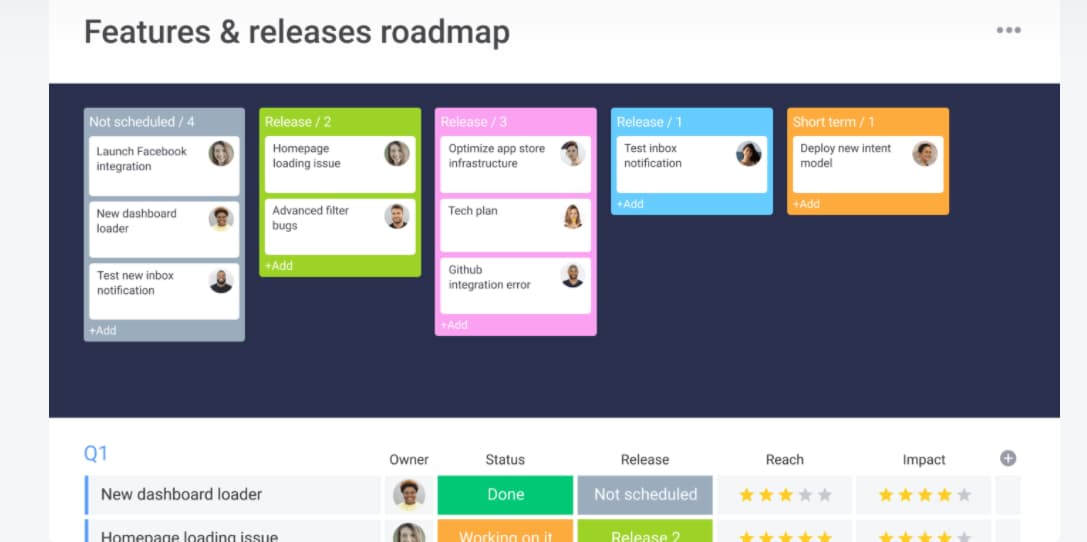
monday.com started as a work management platform, but its roadmap capabilities have matured significantly. You can build product roadmaps using timeline, Gantt, Kanban, and table views, all within the same workspace your team uses for sprint planning and task tracking. The visual interface is polished and intuitive - if your team already uses monday.com for project management, adding a roadmap layer is a natural extension.
The platform's strength is its flexibility. Custom automations, formula columns, and dashboard widgets let you tailor the roadmap to your workflow. Integration with tools like Jira, GitHub, Slack, and Figma means you can connect planning to execution without leaving the platform. The trade-off is that monday.com is a generalist - it handles roadmaps well, but it is not purpose-built for product strategy the way dedicated tools are.
Monday AI adds smart automations, content generation, and predictive insights directly within the platform. A cross-functional team coordinating a product launch across product, design, and marketing can use the timeline view to map handoffs and dependencies without maintaining a separate tracker.
Pricing: Free tier (up to 2 seats). Standard at $12/seat/month. Pro at $19/seat/month. See full pricing.
Best for: Product teams that live in Asana and want roadmap views without adopting a new tool.
Asana has invested heavily in its portfolio and timeline features, making it a legitimate option for product roadmapping. Portfolios let you group projects by theme, quarter, or initiative, giving leadership a high-level view of what is in progress. Timeline view adds Gantt-style visualization, and custom fields let you tag priorities, teams, and stages.
If your company already uses Asana for task and project management, layering roadmap views on top requires minimal change management. The integrations marketplace connects to Jira, Slack, Salesforce, and 200+ other tools. The limitation is that Asana thinks in tasks and projects, not in product strategy constructs like themes, initiatives, or OKRs - so you will need to build those abstractions yourself.
Asana Intelligence now offers AI-powered status updates, smart summaries, and workflow recommendations. A company already running Asana for task management can add a Portfolios view to give leadership high-level roadmap visibility without asking the team to learn a new tool.
Pricing: Free tier for individuals. Premium at $13.49/user/month. Business at $30.49/user/month. See full pricing.
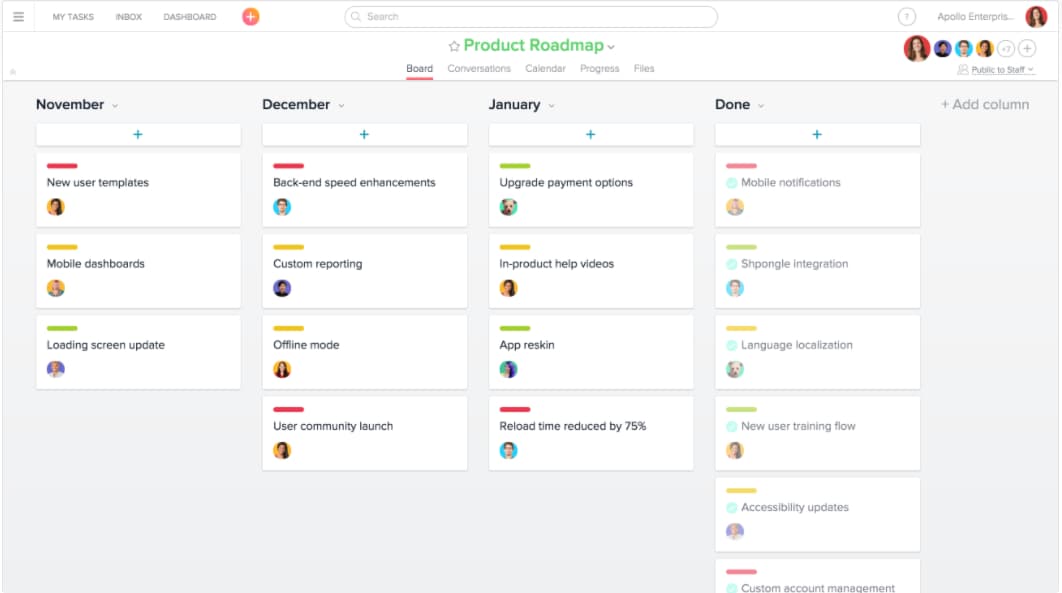
Best for: Teams that want a feature-packed project management tool with a generous free tier.
ClickUp has built a reputation for doing a lot of things well - and roadmapping is no exception. The platform offers timeline, Gantt, board, and list views, plus a whiteboard feature for collaborative brainstorming. Custom fields, statuses, and automations let you build a roadmap workflow that matches how your team actually operates.
What sets ClickUp apart is its free tier, which is one of the most generous in the PM space. You get unlimited tasks, members, and basic views without paying. For product roadmaps specifically, the Gantt and timeline views (available on paid plans) are clean and functional. The downside? ClickUp tries to do everything, and that "everything app" approach can feel overwhelming during onboarding. Give yourself a week to get comfortable with the interface.
ClickUp Brain, the platform's AI layer, adds smart writing assistance, project summaries, and automated standup reports. A small PM team managing features across three products can use custom statuses and the Gantt view to track cross-product dependencies in a single workspace.
Pricing: Free plan available. Unlimited at $10/user/month. Business at $19/user/month.

Best for: Enterprise teams managing complex, cross-departmental roadmaps with heavy reporting needs.
Wrike is a work management platform built for scale. Its Gantt chart functionality is among the best in the PM category - you can set dependencies, milestones, and critical paths, then share interactive views with stakeholders. For product teams at larger organizations, Wrike's request forms, approval workflows, and cross-project dashboards support the coordination overhead that comes with multi-team roadmaps.
Wrike is a strong choice when roadmap ownership is distributed. If product, engineering, marketing, and customer success all need visibility and input, Wrike's permission model and custom workflows handle that complexity. The trade-off is that Wrike leans enterprise - the free tier is limited, and the learning curve is steeper than lighter tools like Trello or Notion.
Wrike's Work Intelligence AI suite adds predictive risk assessment, smart task creation, and automated project insights. A distributed product org where product, engineering, marketing, and customer success each need visibility into the roadmap is the scenario where Wrike earns its seat - the permission model and approval workflows handle that coordination without a barrage of status-update Slack threads.
Pricing: Free tier (limited). Professional at $10/user/month. Business at $24.80/user/month. See full pricing.

Best for: Product teams that need a complete strategy-to-execution platform with deep roadmap visualization.
Aha! Roadmaps is purpose-built for product management and covers the full spectrum from strategy (goals, initiatives, personas) to execution (features, releases, sprints). The roadmap views cover a wide range of formats - you get timeline, Gantt, portfolio, and custom views, plus a presentations feature that turns your roadmap into stakeholder-ready slides without exporting to PowerPoint.
Where Aha! really differentiates is in connecting strategy to delivery. Every feature on the roadmap can be linked to a strategic goal, scored against a prioritization framework, and synced to Jira or Azure DevOps for implementation. The ideas portal captures customer feedback and links it directly to roadmap items. The caveat: Aha! is a premium tool with a premium price. It is built for teams that take product management seriously and want a system of record, not a lightweight planning board.
Aha! has also introduced AI-powered features for idea scoring and roadmap content generation. A head of product at a 50-person SaaS company, for example, can link every roadmap item to a strategic OKR, score it through a weighted framework, and share a presentation-ready view with the executive team - all without leaving the platform.
Pricing: Premium plan at $59/user/month. Enterprise at $99/user/month. See full pricing.

Best for: Product teams that want to build roadmaps grounded in customer feedback and data.
Productboard approaches roadmapping from the customer feedback side. Its core workflow starts with capturing insights (from support tickets, sales calls, user research), linking those insights to features, scoring priorities, and then visualizing the result as a roadmap. If your team struggles with the "why" behind roadmap decisions, Productboard makes that reasoning transparent.
The prioritization engine is where Productboard shines. You can set up custom scoring frameworks, weight criteria by strategic objective, and see exactly how each feature ranks. The roadmap views (timeline, release, and portal) are clean and shareable. Productboard also offers a public-facing portal where customers can submit ideas and vote on features, closing the loop between feedback and planning. The platform is purpose-built for product teams and it shows in the design and workflow.
Productboard AI can now automatically cluster feedback, suggest feature priorities, and surface trends from customer insights. A team fielding feature requests through Zendesk and Intercom can pipe those conversations into Productboard, link them to roadmap items, and surface a data-backed priority order - so when a stakeholder asks why Feature X outranks Feature Y, the answer is already in the system.
Pricing: Essentials at $19/maker/month. Pro at $59/maker/month. See full pricing.
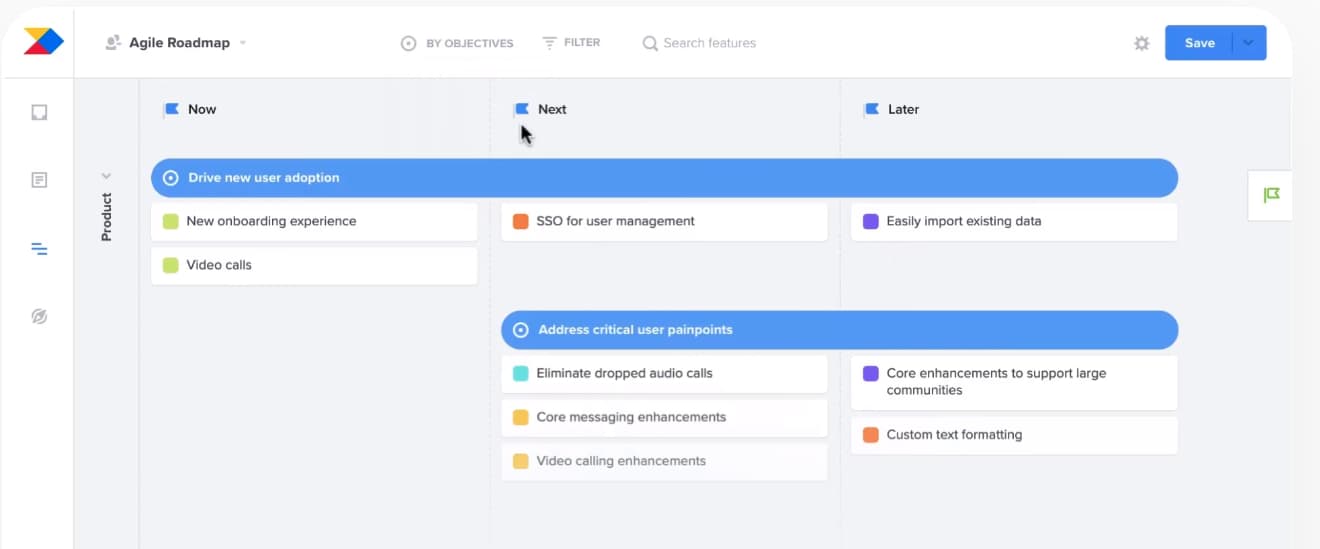
Best for: PMs who want a straightforward, visual roadmap tool without the complexity of a full PM suite.
ProductPlan does one thing and does it well: beautiful, shareable product roadmaps. The drag-and-drop timeline interface is polished and intuitive. You can create multiple roadmaps (by team, product, or time horizon), set dependencies, and share read-only views with stakeholders via a link. No login required for viewers, which makes it ideal for executive and cross-functional communication.
ProductPlan's strength is its simplicity. Compared to Aha! or Productboard, there is less to configure and less to learn. You can be up and running with a presentable roadmap in under an hour. The trade-off is depth - ProductPlan is a visualization and communication tool, not a full product management platform. If you need customer feedback capture, detailed prioritization scoring, or issue tracking, you will need to pair it with other tools. A PM who needs to present a clean quarterly roadmap to the executive team, for instance, can share a read-only ProductPlan link before the meeting - no account required for viewers, no last-minute PowerPoint formatting.
Pricing: Basic at $39/editor/month. Professional at $69/editor/month. See full pricing.
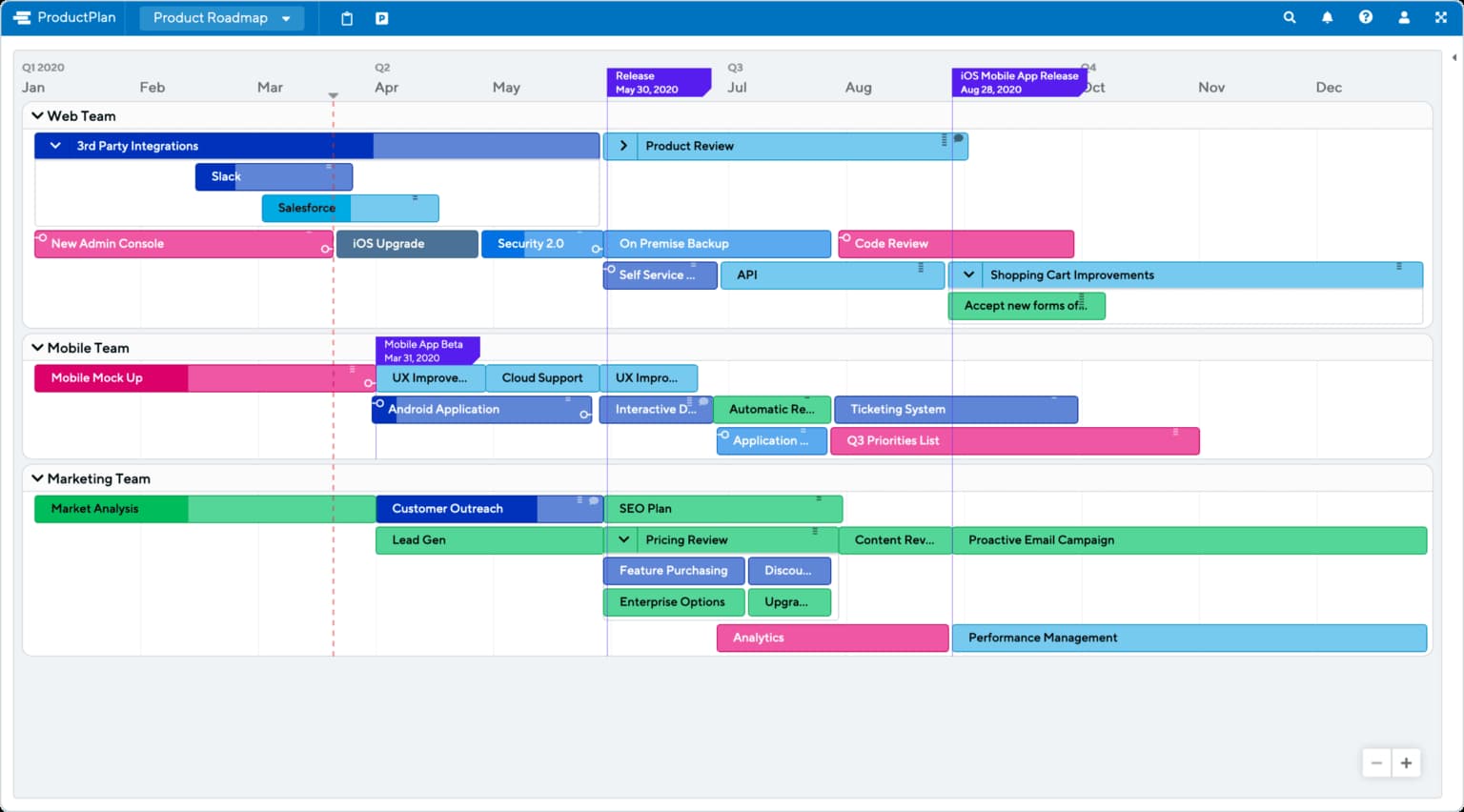
Best for: Teams that want a modular roadmap tool with powerful prioritization baked in.
airfocus is a modular product management platform built around the idea that prioritization should drive your roadmap, not the other way around. Its Priority Poker, custom scoring fields, and weighted prioritization matrices make it a strong choice for teams that need structured decision-making.
The platform is modular - you can enable or disable components (roadmapping, prioritization, feedback, insights) based on your team's needs. Roadmap views include timeline, Kanban, and table formats, and the tool integrates with Jira, Trello, Asana, and Azure DevOps. What we appreciate most about airfocus is that it treats prioritization as a first-class citizen, not an afterthought. If your team's biggest roadmap challenge is "how do we decide what to build next?" - this is worth a serious look.
airfocus has also leaned heavily into AI-driven prioritization, using machine learning to recommend scoring weights based on your team's historical decisions. A product team that holds weekly prioritization meetings can run a Priority Poker session inside airfocus, where each stakeholder scores features independently and the tool surfaces the weighted consensus - removing the loudest-voice-in-the-room dynamic.
Pricing: Essentials at $19/editor/month. Advanced at $69/editor/month. See full pricing.

Best for: PMs who need presentation-ready roadmaps designed for stakeholder communication.
Roadmunk, now part of the Tempo product suite, is laser-focused on making roadmaps that look good in front of stakeholders. The tool offers both timeline and swimlane views, with a drag-and-drop editor that lets you build polished, presentation-quality roadmaps quickly. Multiple roadmap views per workspace mean you can create tailored versions - one for the board, one for engineering, one for customers - from the same underlying data.
The feedback intake system lets you collect input from customers and internal teams, then connect those insights to roadmap items. Roadmunk also offers a strategic roadmap planner for connecting features to goals and themes. Since its acquisition by Tempo (which also owns Tempo Timesheets and Tempo Planner), the integration with the Atlassian ecosystem has strengthened, making it a natural fit for Jira-centric teams. Think of the product leader who needs to present a polished quarterly roadmap to the board, a detailed feature timeline to engineering, and a simplified customer-facing view - Roadmunk lets you create all three from the same data set.
Pricing: Starter at $19/user/month. Business at $49/user/month. See full pricing.
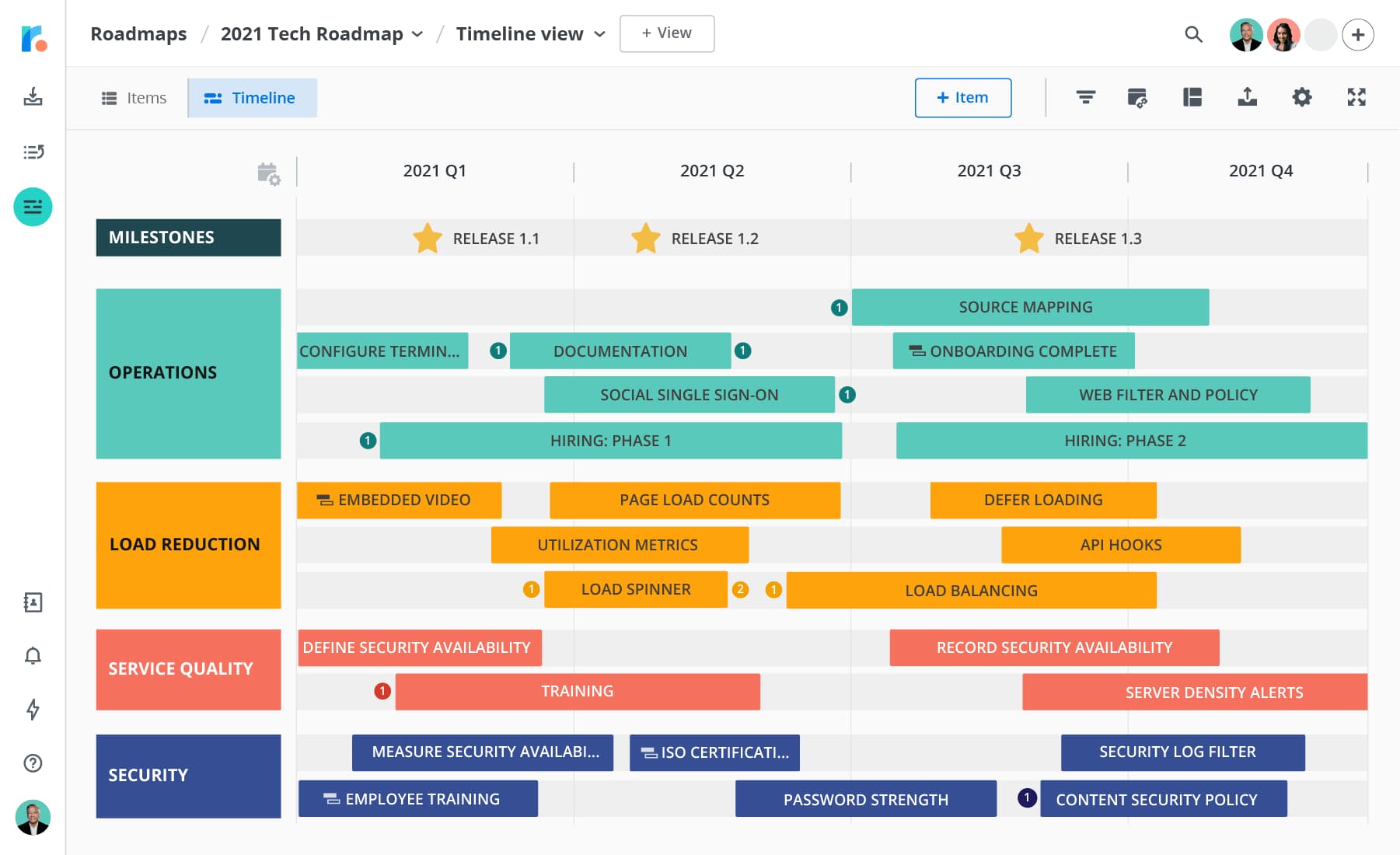
Best for: Dev-forward product teams that want a fast, opinionated tool bridging roadmaps and issue tracking.
Linear has earned a devoted following among engineering-heavy product teams, and for good reason. The interface is ridiculously fast (seriously, try the keyboard shortcuts) and the workflow is opinionated in a way that reduces decision fatigue. Projects serve as your roadmap layer, sitting above individual issues and cycles (Linear's version of sprints).
Linear's roadmap view is relatively new but well-executed. You can organize projects by team, set target dates, track progress as a percentage of completed issues, and visualize everything on a timeline. The tool shines when product and engineering are tightly coupled and want a single source of truth for both "what are we building?" and "what is the status?" If your team values speed, keyboard-driven workflows, and tight engineering integration over stakeholder-facing presentation features, Linear is a strong pick.
Linear has also introduced AI-powered triage that can automatically categorize, label, and route incoming issues. An engineering-led product team where the PM and tech lead share a single backlog can use Linear's projects layer to set quarterly targets and track progress as a percentage of closed issues, without maintaining a separate roadmap document.
Pricing: Free for small teams. Standard at $8/user/month. Plus at $14/user/month. See full pricing.

Best for: Teams that need a self-hosted, open-source project management tool with roadmap capabilities.
OpenProject is one of the few fully open-source options that combines Gantt charts, roadmap timelines, backlog management, and sprint planning in a single platform. For teams with data sovereignty requirements, compliance constraints, or a preference for self-hosting, OpenProject is one of the few options that checks all those boxes while still offering a polished user experience.
The Community edition is free and includes core project management and roadmap features. The Enterprise edition adds advanced features like team planners, custom branding, and enhanced security controls. OpenProject integrates with Nextcloud, GitLab, and other open-source tools, making it a natural fit for teams that build on open-source infrastructure. The caveat: self-hosting means your team (or IT) owns the setup, maintenance, and upgrades. A regulated fintech team that cannot store product strategy on third-party servers, for example, can run OpenProject entirely on its own infrastructure while still getting Gantt charts and sprint boards.
Pricing: Community edition is free (self-hosted). Enterprise cloud starts at $5.95/user/month. See full pricing.

Best for: Teams that want a modern, open-source alternative to Jira and Linear with built-in roadmap views.
Plane is a fast-growing open-source project management platform that has gained significant traction since its launch. It offers issue tracking, cycles (sprints), modules, and roadmap views in a clean, modern interface that feels closer to Linear than to traditional PM tools. The platform supports both cloud-hosted and self-hosted deployments, making it a flexible choice for teams with varying infrastructure preferences.
What sets Plane apart in the open-source category is its polish. Unlike many open-source tools that trade design quality for freedom, Plane delivers a contemporary UI with Kanban boards, spreadsheet views, and timeline charts. The community edition is free and genuinely full-featured, while the commercial plans add analytics, advanced workflows, and priority support. A startup that wants to self-host to avoid vendor lock-in but does not want to sacrifice design quality is Plane's ideal user - it delivers the polish of a commercial tool without the subscription.
Pricing: Community edition is free (self-hosted). Cloud plans start at $7/user/month. See full pricing.
Best for: Engineering-driven organizations already invested in the Atlassian ecosystem.
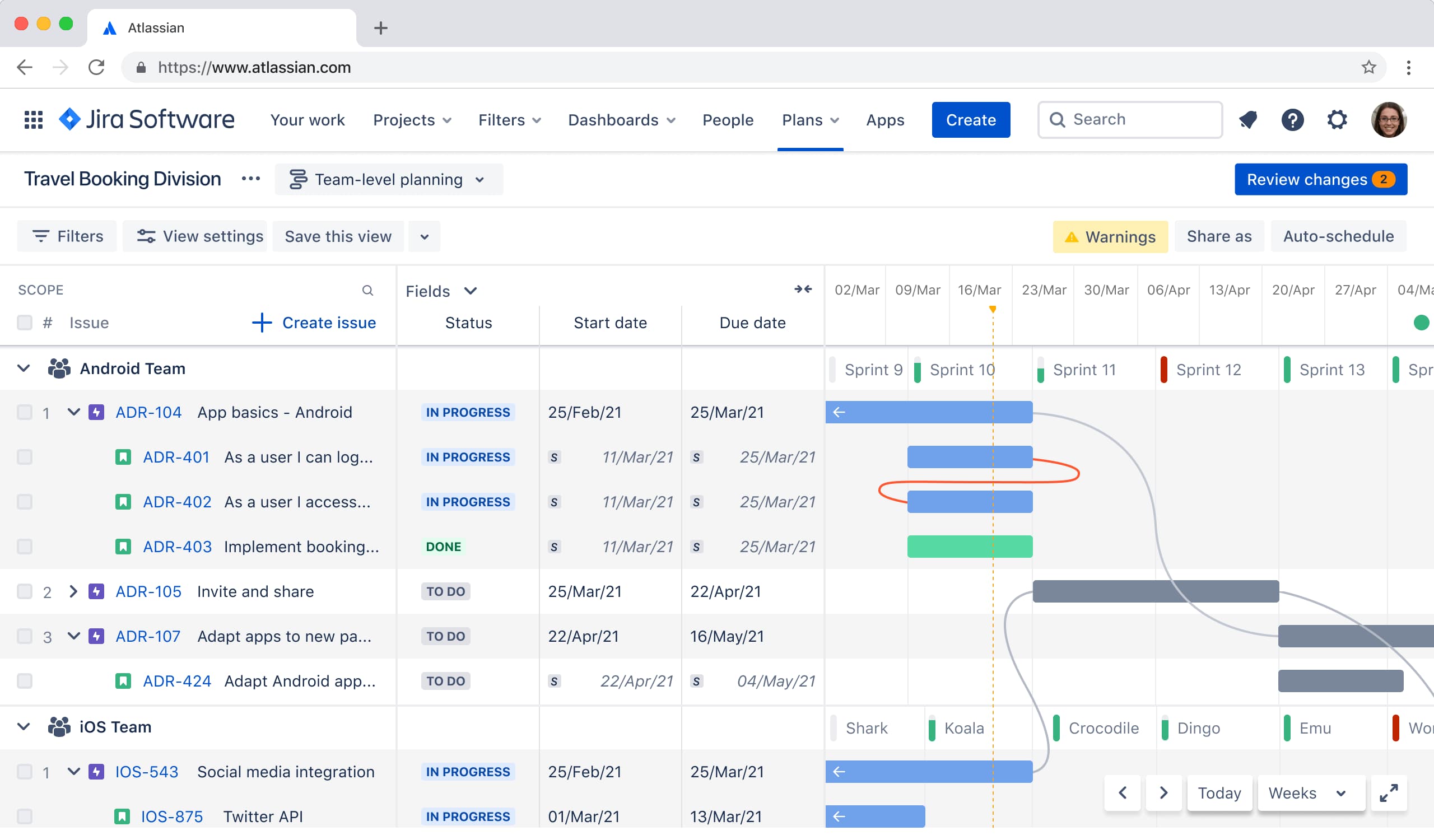
Jira barely needs an introduction. It is the default issue tracker for millions of engineering teams, and its roadmap capabilities have grown substantially. Jira's built-in Roadmap view (available in Jira Software) lets you plan work across sprints and versions, set dependencies, and visualize timelines at the project level. Advanced Roadmaps (available on Premium and Enterprise tiers) extends this to cross-team, multi-project planning with capacity management and scenario modeling.
The real power of Jira for roadmapping is its depth of engineering data. Because your team is already tracking issues, sprints, and releases in Jira, the roadmap reflects actual progress, not optimistic projections. Integrations with Confluence, Bitbucket, Trello, and the broader Atlassian ecosystem make it a natural fit for companies already in that world. The downside: Jira is built for engineers first. The interface is not always intuitive for non-technical stakeholders, and creating a "board-friendly" roadmap view requires more effort than purpose-built tools.
Worth noting: Jira Product Discovery (JPD) is a separate Atlassian product built specifically for product managers. While Jira Software handles delivery, JPD focuses on the ideation and prioritization phase - capturing ideas from multiple sources, scoring them with customizable frameworks, and creating Now/Next/Later roadmap views. It connects natively to Jira Software, so when an idea graduates to development, it flows directly into your engineering backlog. For teams already in the Atlassian ecosystem, the combination of JPD for discovery and Jira Software for delivery creates a seamless planning-to-execution pipeline. A product org running two-week sprints in Jira Software, for example, can use Advanced Roadmaps to visualize cross-team dependencies and capacity for the next quarter - pulling directly from live sprint data rather than manually updating a slide deck.
Pricing: Free tier (up to 10 users). Standard at $8.15/user/month. Premium at $17.50/user/month. See full pricing.
The right tool only gets you halfway. Here are practical habits that separate effective roadmaps from decorative ones:
A roadmap gets you aligned on what to build. But the hardest part of product management is not planning - it is making sure users actually discover, adopt, and get value from the features you ship. That is where the gap between roadmap and reality shows up. You can have the most polished roadmap in the world, but if new features launch to silence, the planning was wasted effort.
Closing that gap means thinking about the full loop: plan, build, ship, and then drive adoption. This is the core of product-led growth. Too many teams treat the roadmap as the finish line when it is really the starting line. The tools we have covered here handle the planning side. For the execution side - getting features in front of the right users at the right moment - you need a different kind of tool.
That is where Appcues fits in. Appcues helps product teams drive feature adoption with targeted, personalized in-app experiences - no engineering dependency required. When a feature ships from your roadmap, Appcues lets you announce it, guide users through it, and measure whether it is actually landing. It is the bridge between "we built it" and "users love it."
A Gantt chart is not a product roadmap - and a product roadmap is not a product strategy. The tools in this guide help you visualize and communicate your plan. The real work starts when you ship.
Book a demo to see how Appcues helps teams turn roadmap plans into real user adoption.
Product Development
Roadmap & Release Communication
AI
Product Discovery & User Research
TL;DR
16 tools, five categories. We evaluated free, mid-range, and premium product roadmap tools - organized by team size, budget, and workflow so you can skip to the section that matters. AI-powered features are now a key differentiator across the category.
Structured for fast decisions. Every tool includes pros, cons, pricing, and a "best for" callout. A side-by-side comparison table at the end does the shortlisting work for you.
Built for product managers. Whether you are a solo PM at a startup or running a multi-team roadmap at an enterprise, this guide covers the right fit.
Product roadmap tools are one of those categories where the sheer number of options makes the choice harder, not easier. There are lightweight free tools, dedicated roadmap platforms, and project management suites that bolt on roadmap features as an afterthought. Picking the wrong one means either outgrowing it in six months or paying for capabilities you will never touch. And in 2026, AI features are reshaping the category - from automated prioritization and feedback analysis to predictive resource planning - adding another dimension to the evaluation.
We built this guide to cut through that noise. We evaluated 16 tools based on real-world usage patterns, prioritization capabilities, integration ecosystems, and pricing transparency. Each tool was assessed for a specific use case - so a free spreadsheet is not competing against an enterprise platform, and a dedicated roadmap tool is not judged by how well it handles sprint planning. The result is a list organized into five categories, from free and lightweight options to enterprise-grade tools, so you can skip to the section that matches your team and budget.
A product roadmap tool is software that helps product teams plan , visualize, and communicate what they are building and why. At its simplest, it is a shared view of priorities, timelines, and strategic goals that keeps everyone - from engineering to leadership - aligned on what is coming next.
Product managers, product ops leads, and heads of product are the primary users. But the audience is wider: roadmaps are how you get buy-in from executives, set expectations with customers, and coordinate across engineering, design, and go-to-market teams.
Why do they matter? Because a product roadmap without a tool to support it tends to live in someone's head, a stale slide deck, or a spreadsheet that three people maintain and nobody trusts. According to ProductPlan's 2024 State of Product Management report, 56% of product teams cited cross-functional alignment as their top challenge. Dedicated roadmap tools solve that by making the plan visible, shareable, and easy to update as priorities shift. For example, a team using Productboard can link customer feedback requests directly to roadmap items, so when an executive asks "why are we building this?", the answer is one click away.
Not every roadmap tool is built for the same team, stage, or workflow. Before you commit, run your options through these six criteria:
Weight these criteria based on your team's biggest pain point. If alignment is the issue, prioritize collaboration. If prioritization debates are slowing you down, lean toward tools with built-in scoring frameworks. For example, a 10-person product team using Jira for sprint work might save hours per week by choosing a roadmap tool like Aha! or airfocus that integrates directly with Jira, rather than manually copying epics between tools.
Best for: Early-stage teams and PMs who want full control without paying a dime.
Google Sheets is not a roadmap tool. It is a spreadsheet. But it is also the most common starting point for product roadmaps, and for good reason. It is free, universally accessible, and infinitely customizable. You can build a basic timeline view with conditional formatting, create a prioritization scorecard with formulas, or set up a simple Now/Next/Later board with color-coded rows.
The tradeoff is that you are building everything from scratch. There are no drag-and-drop timelines, no built-in Gantt charts, and no stakeholder views. But if your team is small and budget-conscious, Google Sheets handles the essentials without adding another tool to the stack. Plenty of free roadmap templates exist online to give you a head start.
Worth noting: Google has integrated Gemini AI into Sheets, which can help generate formulas, analyze data patterns, and automate repetitive formatting tasks. A two-person founding team at an early-stage startup, for example, can map a full Now/Next/Later roadmap in an afternoon using conditional formatting - no setup, no onboarding, no seat fees.
Pricing: Free with a Google account. Google Workspace plans start at $7/user/month for business features.
Best for: Teams that want a flexible, all-in-one workspace they can mold into a roadmap tool.
Notion has quietly become one of the most popular tools for product teams - not because it was built as a roadmap tool, but because its database-driven structure makes it easy to build one. Create a database of features, tag them by quarter, priority, and team, then toggle between table, board, timeline, and calendar views. It is lightweight enough for a solo PM and structured enough for a 20-person product org.
Where Notion really shines is in connecting your roadmap to everything else: PRDs, meeting notes, user research, sprint docs. Everything lives in one workspace, which reduces context-switching. The free tier is generous for individuals, though teams will want a paid plan for permissions and collaboration features.
Notion AI adds another layer - it can draft PRDs, summarize research, and generate roadmap content directly within your workspace. A solo PM managing both roadmap and PRD documentation, for instance, can set up a linked database where each roadmap item connects directly to its spec doc - cutting context-switching without adding another tool.
Pricing: Free for individuals. Plus plan at $10/user/month. Business plan at $18/user/month.
Best for: Visual thinkers who want a simple, Kanban-style roadmap without the learning curve.
Trello's drag-and-drop board interface is one of the most intuitive in the category. Set up columns for "Exploring," "Planned," "In Progress," and "Shipped," then move cards across as work progresses. It is visual, fast, and easy enough that anyone on the team can contribute without training.
For roadmap purposes, Trello works best when your planning is relatively straightforward - think Now/Next/Later or quarterly themes. The template gallery includes several roadmap-specific layouts to get started quickly. Power-Ups (Trello's plugin system) add features like timeline views, voting, and custom fields, but the free tier limits you to one Power-Up per board.
Atlassian Intelligence (AI) now brings smart suggestions and automated card descriptions to Trello as well. A growth team tracking a quarterly feature launch can set up four columns (Backlog, In Progress, In Review, Shipped) and share the board with marketing and customer success as a live status page.
Pricing: Free tier available. Standard at $6/user/month. Premium at $12.50/user/month. See full pricing.
Website: trello.com
Best for: Cross-functional teams that want roadmap visibility alongside day-to-day project management.
monday.com started as a work management platform, but its roadmap capabilities have matured significantly. You can build product roadmaps using timeline, Gantt, Kanban, and table views, all within the same workspace your team uses for sprint planning and task tracking. The visual interface is polished and intuitive - if your team already uses monday.com for project management, adding a roadmap layer is a natural extension.
The platform's strength is its flexibility. Custom automations, formula columns, and dashboard widgets let you tailor the roadmap to your workflow. Integration with tools like Jira, GitHub, Slack, and Figma means you can connect planning to execution without leaving the platform. The trade-off is that monday.com is a generalist - it handles roadmaps well, but it is not purpose-built for product strategy the way dedicated tools are.
Monday AI adds smart automations, content generation, and predictive insights directly within the platform. A cross-functional team coordinating a product launch across product, design, and marketing can use the timeline view to map handoffs and dependencies without maintaining a separate tracker.
Pricing: Free tier (up to 2 seats). Standard at $12/seat/month. Pro at $19/seat/month. See full pricing.
Best for: Product teams that live in Asana and want roadmap views without adopting a new tool.
Asana has invested heavily in its portfolio and timeline features, making it a legitimate option for product roadmapping. Portfolios let you group projects by theme, quarter, or initiative, giving leadership a high-level view of what is in progress. Timeline view adds Gantt-style visualization, and custom fields let you tag priorities, teams, and stages.
If your company already uses Asana for task and project management, layering roadmap views on top requires minimal change management. The integrations marketplace connects to Jira, Slack, Salesforce, and 200+ other tools. The limitation is that Asana thinks in tasks and projects, not in product strategy constructs like themes, initiatives, or OKRs - so you will need to build those abstractions yourself.
Asana Intelligence now offers AI-powered status updates, smart summaries, and workflow recommendations. A company already running Asana for task management can add a Portfolios view to give leadership high-level roadmap visibility without asking the team to learn a new tool.
Pricing: Free tier for individuals. Premium at $13.49/user/month. Business at $30.49/user/month. See full pricing.
Best for: Teams that want a feature-packed project management tool with a generous free tier.
ClickUp has built a reputation for doing a lot of things well - and roadmapping is no exception. The platform offers timeline, Gantt, board, and list views, plus a whiteboard feature for collaborative brainstorming. Custom fields, statuses, and automations let you build a roadmap workflow that matches how your team actually operates.
What sets ClickUp apart is its free tier, which is one of the most generous in the PM space. You get unlimited tasks, members, and basic views without paying. For product roadmaps specifically, the Gantt and timeline views (available on paid plans) are clean and functional. The downside? ClickUp tries to do everything, and that "everything app" approach can feel overwhelming during onboarding. Give yourself a week to get comfortable with the interface.
ClickUp Brain, the platform's AI layer, adds smart writing assistance, project summaries, and automated standup reports. A small PM team managing features across three products can use custom statuses and the Gantt view to track cross-product dependencies in a single workspace.
Pricing: Free plan available. Unlimited at $10/user/month. Business at $19/user/month.
Best for: Enterprise teams managing complex, cross-departmental roadmaps with heavy reporting needs.
Wrike is a work management platform built for scale. Its Gantt chart functionality is among the best in the PM category - you can set dependencies, milestones, and critical paths, then share interactive views with stakeholders. For product teams at larger organizations, Wrike's request forms, approval workflows, and cross-project dashboards support the coordination overhead that comes with multi-team roadmaps.
Wrike is a strong choice when roadmap ownership is distributed. If product, engineering, marketing, and customer success all need visibility and input, Wrike's permission model and custom workflows handle that complexity. The trade-off is that Wrike leans enterprise - the free tier is limited, and the learning curve is steeper than lighter tools like Trello or Notion.
Wrike's Work Intelligence AI suite adds predictive risk assessment, smart task creation, and automated project insights. A distributed product org where product, engineering, marketing, and customer success each need visibility into the roadmap is the scenario where Wrike earns its seat - the permission model and approval workflows handle that coordination without a barrage of status-update Slack threads.
Pricing: Free tier (limited). Professional at $10/user/month. Business at $24.80/user/month. See full pricing.
Best for: Product teams that need a complete strategy-to-execution platform with deep roadmap visualization.
Aha! Roadmaps is purpose-built for product management and covers the full spectrum from strategy (goals, initiatives, personas) to execution (features, releases, sprints). The roadmap views cover a wide range of formats - you get timeline, Gantt, portfolio, and custom views, plus a presentations feature that turns your roadmap into stakeholder-ready slides without exporting to PowerPoint.
Where Aha! really differentiates is in connecting strategy to delivery. Every feature on the roadmap can be linked to a strategic goal, scored against a prioritization framework, and synced to Jira or Azure DevOps for implementation. The ideas portal captures customer feedback and links it directly to roadmap items. The caveat: Aha! is a premium tool with a premium price. It is built for teams that take product management seriously and want a system of record, not a lightweight planning board.
Aha! has also introduced AI-powered features for idea scoring and roadmap content generation. A head of product at a 50-person SaaS company, for example, can link every roadmap item to a strategic OKR, score it through a weighted framework, and share a presentation-ready view with the executive team - all without leaving the platform.
Pricing: Premium plan at $59/user/month. Enterprise at $99/user/month. See full pricing.
Best for: Product teams that want to build roadmaps grounded in customer feedback and data.
Productboard approaches roadmapping from the customer feedback side. Its core workflow starts with capturing insights (from support tickets, sales calls, user research), linking those insights to features, scoring priorities, and then visualizing the result as a roadmap. If your team struggles with the "why" behind roadmap decisions, Productboard makes that reasoning transparent.
The prioritization engine is where Productboard shines. You can set up custom scoring frameworks, weight criteria by strategic objective, and see exactly how each feature ranks. The roadmap views (timeline, release, and portal) are clean and shareable. Productboard also offers a public-facing portal where customers can submit ideas and vote on features, closing the loop between feedback and planning. The platform is purpose-built for product teams and it shows in the design and workflow.
Productboard AI can now automatically cluster feedback, suggest feature priorities, and surface trends from customer insights. A team fielding feature requests through Zendesk and Intercom can pipe those conversations into Productboard, link them to roadmap items, and surface a data-backed priority order - so when a stakeholder asks why Feature X outranks Feature Y, the answer is already in the system.
Pricing: Essentials at $19/maker/month. Pro at $59/maker/month. See full pricing.
Best for: PMs who want a straightforward, visual roadmap tool without the complexity of a full PM suite.
ProductPlan does one thing and does it well: beautiful, shareable product roadmaps. The drag-and-drop timeline interface is polished and intuitive. You can create multiple roadmaps (by team, product, or time horizon), set dependencies, and share read-only views with stakeholders via a link. No login required for viewers, which makes it ideal for executive and cross-functional communication.
ProductPlan's strength is its simplicity. Compared to Aha! or Productboard, there is less to configure and less to learn. You can be up and running with a presentable roadmap in under an hour. The trade-off is depth - ProductPlan is a visualization and communication tool, not a full product management platform. If you need customer feedback capture, detailed prioritization scoring, or issue tracking, you will need to pair it with other tools. A PM who needs to present a clean quarterly roadmap to the executive team, for instance, can share a read-only ProductPlan link before the meeting - no account required for viewers, no last-minute PowerPoint formatting.
Pricing: Basic at $39/editor/month. Professional at $69/editor/month. See full pricing.
Best for: Teams that want a modular roadmap tool with powerful prioritization baked in.
airfocus is a modular product management platform built around the idea that prioritization should drive your roadmap, not the other way around. Its Priority Poker, custom scoring fields, and weighted prioritization matrices make it a strong choice for teams that need structured decision-making.
The platform is modular - you can enable or disable components (roadmapping, prioritization, feedback, insights) based on your team's needs. Roadmap views include timeline, Kanban, and table formats, and the tool integrates with Jira, Trello, Asana, and Azure DevOps. What we appreciate most about airfocus is that it treats prioritization as a first-class citizen, not an afterthought. If your team's biggest roadmap challenge is "how do we decide what to build next?" - this is worth a serious look.
airfocus has also leaned heavily into AI-driven prioritization, using machine learning to recommend scoring weights based on your team's historical decisions. A product team that holds weekly prioritization meetings can run a Priority Poker session inside airfocus, where each stakeholder scores features independently and the tool surfaces the weighted consensus - removing the loudest-voice-in-the-room dynamic.
Pricing: Essentials at $19/editor/month. Advanced at $69/editor/month. See full pricing.
Best for: PMs who need presentation-ready roadmaps designed for stakeholder communication.
Roadmunk, now part of the Tempo product suite, is laser-focused on making roadmaps that look good in front of stakeholders. The tool offers both timeline and swimlane views, with a drag-and-drop editor that lets you build polished, presentation-quality roadmaps quickly. Multiple roadmap views per workspace mean you can create tailored versions - one for the board, one for engineering, one for customers - from the same underlying data.
The feedback intake system lets you collect input from customers and internal teams, then connect those insights to roadmap items. Roadmunk also offers a strategic roadmap planner for connecting features to goals and themes. Since its acquisition by Tempo (which also owns Tempo Timesheets and Tempo Planner), the integration with the Atlassian ecosystem has strengthened, making it a natural fit for Jira-centric teams. Think of the product leader who needs to present a polished quarterly roadmap to the board, a detailed feature timeline to engineering, and a simplified customer-facing view - Roadmunk lets you create all three from the same data set.
Pricing: Starter at $19/user/month. Business at $49/user/month. See full pricing.
Best for: Dev-forward product teams that want a fast, opinionated tool bridging roadmaps and issue tracking.
Linear has earned a devoted following among engineering-heavy product teams, and for good reason. The interface is ridiculously fast (seriously, try the keyboard shortcuts) and the workflow is opinionated in a way that reduces decision fatigue. Projects serve as your roadmap layer, sitting above individual issues and cycles (Linear's version of sprints).
Linear's roadmap view is relatively new but well-executed. You can organize projects by team, set target dates, track progress as a percentage of completed issues, and visualize everything on a timeline. The tool shines when product and engineering are tightly coupled and want a single source of truth for both "what are we building?" and "what is the status?" If your team values speed, keyboard-driven workflows, and tight engineering integration over stakeholder-facing presentation features, Linear is a strong pick.
Linear has also introduced AI-powered triage that can automatically categorize, label, and route incoming issues. An engineering-led product team where the PM and tech lead share a single backlog can use Linear's projects layer to set quarterly targets and track progress as a percentage of closed issues, without maintaining a separate roadmap document.
Pricing: Free for small teams. Standard at $8/user/month. Plus at $14/user/month. See full pricing.
Best for: Teams that need a self-hosted, open-source project management tool with roadmap capabilities.
OpenProject is one of the few fully open-source options that combines Gantt charts, roadmap timelines, backlog management, and sprint planning in a single platform. For teams with data sovereignty requirements, compliance constraints, or a preference for self-hosting, OpenProject is one of the few options that checks all those boxes while still offering a polished user experience.
The Community edition is free and includes core project management and roadmap features. The Enterprise edition adds advanced features like team planners, custom branding, and enhanced security controls. OpenProject integrates with Nextcloud, GitLab, and other open-source tools, making it a natural fit for teams that build on open-source infrastructure. The caveat: self-hosting means your team (or IT) owns the setup, maintenance, and upgrades. A regulated fintech team that cannot store product strategy on third-party servers, for example, can run OpenProject entirely on its own infrastructure while still getting Gantt charts and sprint boards.
Pricing: Community edition is free (self-hosted). Enterprise cloud starts at $5.95/user/month. See full pricing.
Best for: Teams that want a modern, open-source alternative to Jira and Linear with built-in roadmap views.
Plane is a fast-growing open-source project management platform that has gained significant traction since its launch. It offers issue tracking, cycles (sprints), modules, and roadmap views in a clean, modern interface that feels closer to Linear than to traditional PM tools. The platform supports both cloud-hosted and self-hosted deployments, making it a flexible choice for teams with varying infrastructure preferences.
What sets Plane apart in the open-source category is its polish. Unlike many open-source tools that trade design quality for freedom, Plane delivers a contemporary UI with Kanban boards, spreadsheet views, and timeline charts. The community edition is free and genuinely full-featured, while the commercial plans add analytics, advanced workflows, and priority support. A startup that wants to self-host to avoid vendor lock-in but does not want to sacrifice design quality is Plane's ideal user - it delivers the polish of a commercial tool without the subscription.
Pricing: Community edition is free (self-hosted). Cloud plans start at $7/user/month. See full pricing.
Best for: Engineering-driven organizations already invested in the Atlassian ecosystem.
Jira barely needs an introduction. It is the default issue tracker for millions of engineering teams, and its roadmap capabilities have grown substantially. Jira's built-in Roadmap view (available in Jira Software) lets you plan work across sprints and versions, set dependencies, and visualize timelines at the project level. Advanced Roadmaps (available on Premium and Enterprise tiers) extends this to cross-team, multi-project planning with capacity management and scenario modeling.
The real power of Jira for roadmapping is its depth of engineering data. Because your team is already tracking issues, sprints, and releases in Jira, the roadmap reflects actual progress, not optimistic projections. Integrations with Confluence, Bitbucket, Trello, and the broader Atlassian ecosystem make it a natural fit for companies already in that world. The downside: Jira is built for engineers first. The interface is not always intuitive for non-technical stakeholders, and creating a "board-friendly" roadmap view requires more effort than purpose-built tools.
Worth noting: Jira Product Discovery (JPD) is a separate Atlassian product built specifically for product managers. While Jira Software handles delivery, JPD focuses on the ideation and prioritization phase - capturing ideas from multiple sources, scoring them with customizable frameworks, and creating Now/Next/Later roadmap views. It connects natively to Jira Software, so when an idea graduates to development, it flows directly into your engineering backlog. For teams already in the Atlassian ecosystem, the combination of JPD for discovery and Jira Software for delivery creates a seamless planning-to-execution pipeline. A product org running two-week sprints in Jira Software, for example, can use Advanced Roadmaps to visualize cross-team dependencies and capacity for the next quarter - pulling directly from live sprint data rather than manually updating a slide deck.
Pricing: Free tier (up to 10 users). Standard at $8.15/user/month. Premium at $17.50/user/month. See full pricing.
The right tool only gets you halfway. Here are practical habits that separate effective roadmaps from decorative ones:
A roadmap gets you aligned on what to build. But the hardest part of product management is not planning - it is making sure users actually discover, adopt, and get value from the features you ship. That is where the gap between roadmap and reality shows up. You can have the most polished roadmap in the world, but if new features launch to silence, the planning was wasted effort.
Closing that gap means thinking about the full loop: plan, build, ship, and then drive adoption. This is the core of product-led growth. Too many teams treat the roadmap as the finish line when it is really the starting line. The tools we have covered here handle the planning side. For the execution side - getting features in front of the right users at the right moment - you need a different kind of tool.
That is where Appcues fits in. Appcues helps product teams drive feature adoption with targeted, personalized in-app experiences - no engineering dependency required. When a feature ships from your roadmap, Appcues lets you announce it, guide users through it, and measure whether it is actually landing. It is the bridge between "we built it" and "users love it."
A Gantt chart is not a product roadmap - and a product roadmap is not a product strategy. The tools in this guide help you visualize and communicate your plan. The real work starts when you ship.
Book a demo to see how Appcues helps teams turn roadmap plans into real user adoption.

Sign up for Quickcues and get our monthly updates!
.svg)