.png)
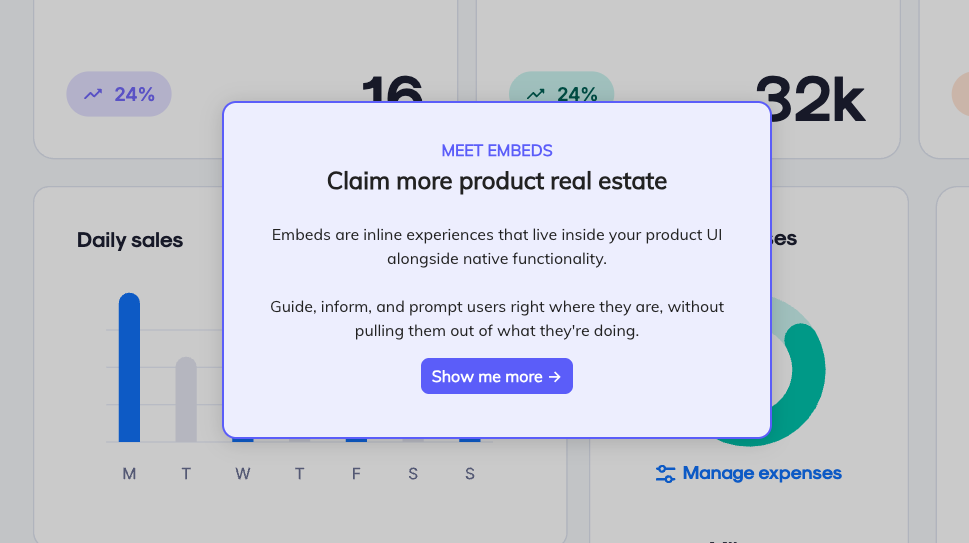
Appcues has always let you personalize what users see in your product. Embeds extend that into the product itself — inline content that lives in your dashboards, empty states, and feature pages, changes based on who's looking, and doesn't disappear the moment a user clicks away.
There's a version of your product that users barely have to think about. The right context shows up in the right place. Guidance is there when they need it, gone when they don't. The experience reflects where they are: not where the average user might be.
Getting there is the whole job. And when you pull it off, it's measurable. Faster activation, deeper feature usage, lower churn.
For product teams, the tool of choice for building that experience — without writing code or filing an engineering ticket — has been in-app messaging. Flows to guide new users, tooltips to explain features, banners to announce what's new. Targeted, personalized, shipped the same day you decide to build them.
But there's always been a ceiling. You could shape the experiences layered on top of your product. You couldn't touch the product itself. The dashboards, the empty states, the feature pages users actually spend their time in? Those were off-limits.
Until now.
Traditional in-app messages — Modals, Tooltips, Slideouts — are still the right tool for plenty of moments. When you need to announce something important, collect a survey response, or walk a new user through a critical flow for the first time, you want their full attention, and these overlay experiences get it. Not every moment warrants that.
Think about the surfaces users move through every day: dashboards, feature pages, open space, sidebars. These are places where users are already oriented, already working. An overlay in those moments doesn't help. Instead, it interrupts.
There's a subtler problem too: overlays disappear. Once a user dismisses a modal, that content is gone. If they needed it thirty seconds later, it's not there. Guidance that only exists in the moment of delivery isn't really guidance, but a gamble on timing.
Think about how much of your product users move through every day without getting anything useful from it. The empty state that just sits there. The dashboard that looks the same for a day-one user as it does for someone six months in. The feature page that assumes you already know what to do.
Those surfaces aren't broken. They're just not working for you.
Today, we're launching Appcues Embeds. Instead of placing content on top of your UI, you drop it directly into it. Pick a container anywhere in your product — a feature page, an open space, a sidebar panel — and Appcues content lives there, inline, styled to match, there every time the user comes back.
A new user sees a setup guide where the empty state used to be. A power user sees what to try next. Someone close to their usage limit gets a nudge in the exact spot it's relevant. The product looks the same, it just responds to who's using it.
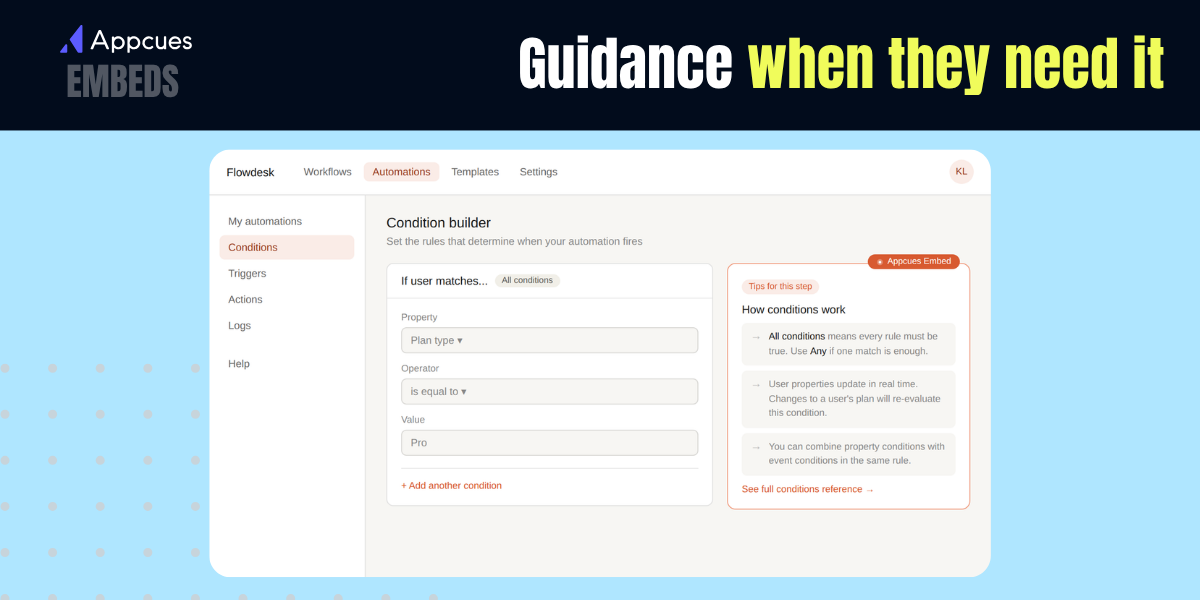
Onboarding that doesn't stop the user. Instead of a Modal that pulls people out of their workflow, build embedded welcome banners, setup cards, and empty state replacements that guide users through activation while they're actively working.
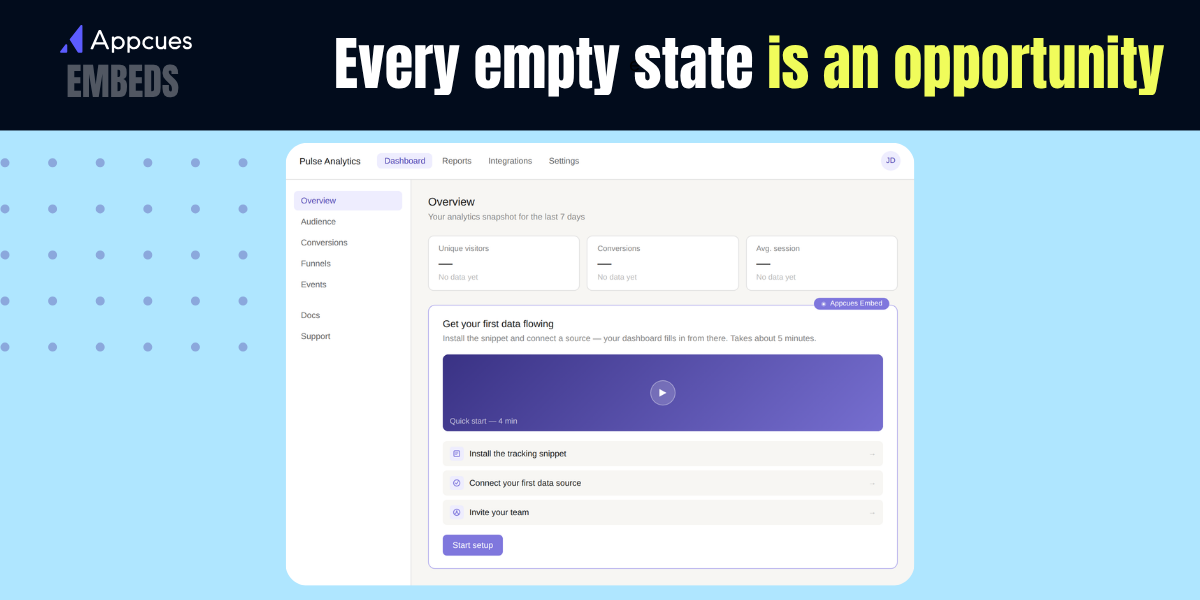
Announcements where they're actually relevant. A feature announcement on the exact page where that feature lives lands differently than a generic modal at login. Context changes everything.
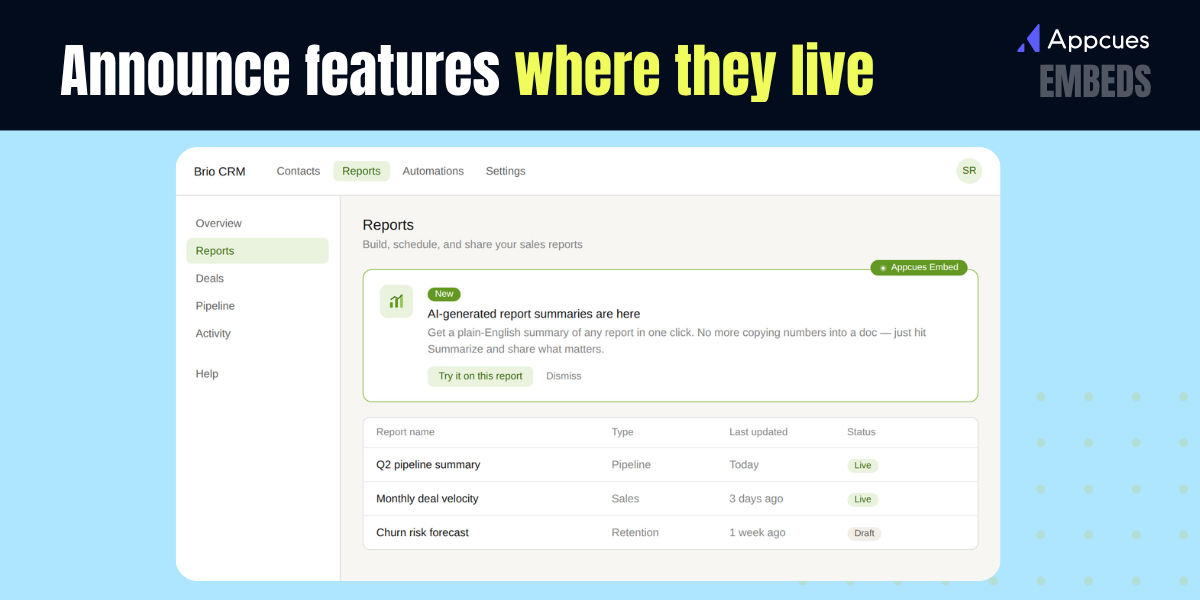
Education that sticks around. Tutorial cards, contextual tips, and next-step recommendations can live inline next to complex functionality — there when users need them, not just when you decided to show them.
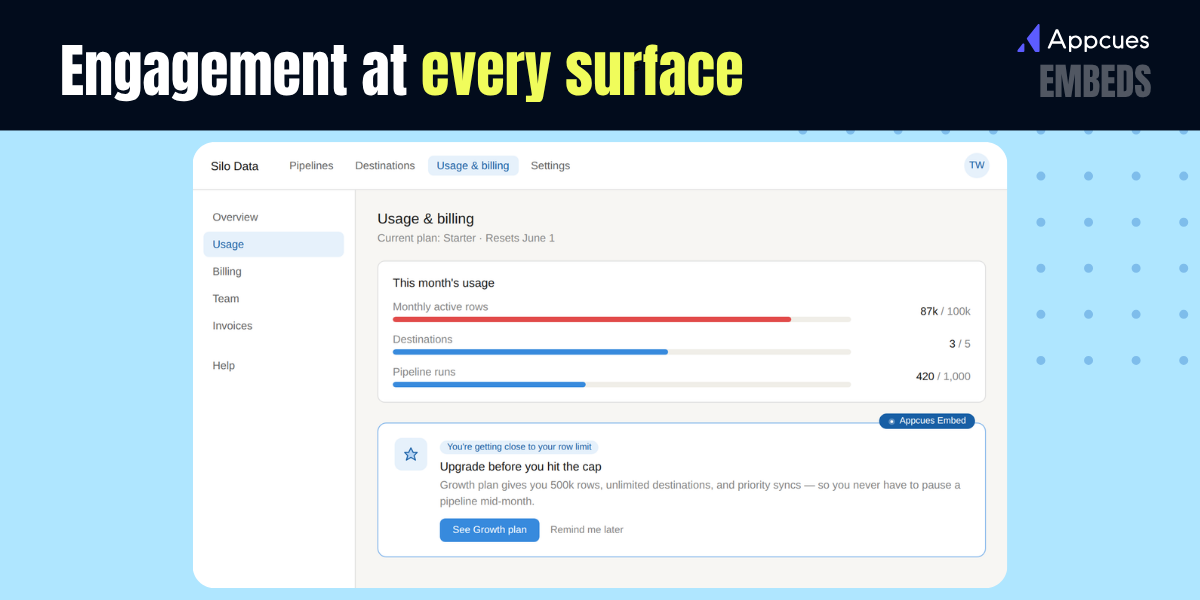
Upgrade nudges and usage alerts, right where they land. Upgrade prompts where locked features live. Usage limit bars with contextual nudges. Milestone callouts. Every empty state, unused panel, and quiet dashboard corner is a surface you already own. Embeds let you use it.
Embeds aren't a replacement for overlaid experiences. They're the other half.
Some moments need you to stop everything to make sure something lands. Others need you to show up where users are, without making a fuss. Flows, Tooltips, and Banners handle the first. Embeds handle the second. Together, they cover the full surface area of your product.
That matters because users don't have a single moment where you win or lose them. They have hundreds. The first login, the first empty state, the first time they hit a limit or stumble on a feature they've never used. Each one is a chance to help them get more value, go deeper, stick around longer. When your tools only let you reach users in some of those moments, you're leaving the rest to chance.
Appcues has always helped you shape what users experience in your product. Embeds just gave you a lot more of it to work with.
Appcues Embeds are available now. If you’re already a customer, check it out here.
Not sure yet if you need Appcues? We’ve also got a tour.
Product Adoption
Checklists, Tooltips & Modals
Personalization
In-App Messaging
TL;DR
Appcues has always let you personalize what users see in your product. Embeds extend that into the product itself — inline content that lives in your dashboards, empty states, and feature pages, changes based on who's looking, and doesn't disappear the moment a user clicks away.
There's a version of your product that users barely have to think about. The right context shows up in the right place. Guidance is there when they need it, gone when they don't. The experience reflects where they are: not where the average user might be.
Getting there is the whole job. And when you pull it off, it's measurable. Faster activation, deeper feature usage, lower churn.
For product teams, the tool of choice for building that experience — without writing code or filing an engineering ticket — has been in-app messaging. Flows to guide new users, tooltips to explain features, banners to announce what's new. Targeted, personalized, shipped the same day you decide to build them.
But there's always been a ceiling. You could shape the experiences layered on top of your product. You couldn't touch the product itself. The dashboards, the empty states, the feature pages users actually spend their time in? Those were off-limits.
Until now.
Traditional in-app messages — Modals, Tooltips, Slideouts — are still the right tool for plenty of moments. When you need to announce something important, collect a survey response, or walk a new user through a critical flow for the first time, you want their full attention, and these overlay experiences get it. Not every moment warrants that.
Think about the surfaces users move through every day: dashboards, feature pages, open space, sidebars. These are places where users are already oriented, already working. An overlay in those moments doesn't help. Instead, it interrupts.
There's a subtler problem too: overlays disappear. Once a user dismisses a modal, that content is gone. If they needed it thirty seconds later, it's not there. Guidance that only exists in the moment of delivery isn't really guidance, but a gamble on timing.
Think about how much of your product users move through every day without getting anything useful from it. The empty state that just sits there. The dashboard that looks the same for a day-one user as it does for someone six months in. The feature page that assumes you already know what to do.
Those surfaces aren't broken. They're just not working for you.
Today, we're launching Appcues Embeds. Instead of placing content on top of your UI, you drop it directly into it. Pick a container anywhere in your product — a feature page, an open space, a sidebar panel — and Appcues content lives there, inline, styled to match, there every time the user comes back.
A new user sees a setup guide where the empty state used to be. A power user sees what to try next. Someone close to their usage limit gets a nudge in the exact spot it's relevant. The product looks the same, it just responds to who's using it.
Onboarding that doesn't stop the user. Instead of a Modal that pulls people out of their workflow, build embedded welcome banners, setup cards, and empty state replacements that guide users through activation while they're actively working.
Announcements where they're actually relevant. A feature announcement on the exact page where that feature lives lands differently than a generic modal at login. Context changes everything.
Education that sticks around. Tutorial cards, contextual tips, and next-step recommendations can live inline next to complex functionality — there when users need them, not just when you decided to show them.
Upgrade nudges and usage alerts, right where they land. Upgrade prompts where locked features live. Usage limit bars with contextual nudges. Milestone callouts. Every empty state, unused panel, and quiet dashboard corner is a surface you already own. Embeds let you use it.
Embeds aren't a replacement for overlaid experiences. They're the other half.
Some moments need you to stop everything to make sure something lands. Others need you to show up where users are, without making a fuss. Flows, Tooltips, and Banners handle the first. Embeds handle the second. Together, they cover the full surface area of your product.
That matters because users don't have a single moment where you win or lose them. They have hundreds. The first login, the first empty state, the first time they hit a limit or stumble on a feature they've never used. Each one is a chance to help them get more value, go deeper, stick around longer. When your tools only let you reach users in some of those moments, you're leaving the rest to chance.
Appcues has always helped you shape what users experience in your product. Embeds just gave you a lot more of it to work with.
Appcues Embeds are available now. If you’re already a customer, check it out here.
Not sure yet if you need Appcues? We’ve also got a tour.

Sign up for Quickcues and get our monthly updates!
.svg)


