
.png)
Appcues vs. Userlist comes down to one question: where do you want to reach your users?
Userlist is a focused, well-built email tool for SaaS lifecycle messaging.
Appcues starts inside the product with in-app Guides, Checklists, and behavioral targeting. Each expeirence extends into email, mobile, and push from there.
If email is all you need right now, Userlist is a reasonable choice. If you're building something broader, Appcues is the platform that grows with you.
If you're evaluating Appcues and Userlist, you've probably already figured out that they overlap in some interesting ways. Both platforms help SaaS teams communicate with users at meaningful moments in the lifecycle. Both use behavioral data to decide when and how to reach out. Both are built for product and marketing teams who want to drive activation and retention without involving a developer at every turn.
But they're approaching the problem from very different directions, and that gap matters more than most comparison pages will tell you.
Userlist starts in the inbox. It's an email-first platform built specifically for SaaS teams who want to send smarter lifecycle messages: trial conversion sequences, milestone nudges, re-engagement campaigns, onboarding drip flows. It does that job with a level of care and intentionality that's worth acknowledging.
Appcues starts inside the product. It's built around the idea that the most important moments in the user journey happen while someone is actually in your app, and that reaching them in that moment requires more than a well-timed email. From there, Appcues extends into email, mobile, and push, so teams can connect the experience across every channel without stitching together separate tools.
The core difference between these two platforms isn't really about features. It's about where you believe user engagement actually happens. This guide will walk through both tools honestly, covering capabilities, use cases, pricing, and where each one genuinely fits.
Here's a quick breakdown of how Appcues and Userlist compare:
If you primarily need in-product engagement across multiple channels, Appcues is the stronger fit. If your strategy is email-first and you want to stay focused there, Userlist is a well-built tool for exactly that.
Userlist was designed with a clear user in mind: the SaaS founder or marketing manager who wants to send the right email at the right moment, tied to what a user actually did (or didn't do) in the product. Welcome a new trial user when they sign up. Follow up with someone who never reached their activation milestone. Quietly re-engage an account that's gone quiet. Userlist handles those flows with a level of specificity that generic email platforms often miss.
A few things Userlist does particularly well: behavior-triggered email sequences tied to user events, company-level and user-level segmentation (a genuinely useful distinction for B2B SaaS), and a clean, focused interface that doesn't bury you in features you don't need. For teams at an early stage, or teams who have a disciplined email strategy and want to execute it without much friction, it's a reasonable choice.
The honest limitation is that Userlist lives entirely in the inbox. It can't reach users inside your product. There are no guided tours, no contextual tooltips, no onboarding checklists, no in-app announcements. If a user logs in, gets confused on step three, and never opens your email, Userlist has no way to help them in that moment. For a lot of SaaS teams, that gap ends up being significant.
Appcues is built around a different premise: that the moments that matter most in the user journey happen inside your product, and that a great engagement strategy has to start there. When someone logs in for the first time, or hits a wall in onboarding, or hasn't discovered a feature that would make them a long-term customer, the product is where you can actually do something about it.
Appcues lets teams build those in-product experiences through a low-code visual builder: guided tours, interactive Checklists, Tooltips, Modals, Banners, NPS Surveys, and more. Marketing, product, and CX teams can launch and iterate on experiences without waiting on engineering. And, because Appcues also supports email, mobile, and push, teams can coordinate across channels from a single platform rather than managing each one separately.
The tradeoff worth naming: Appcues is a larger platform than Userlist, and it rewards teams who come with a real engagement strategy. If all you need right now is a trial nurture sequence delivered by email, Appcues may be more than you need at this stage.
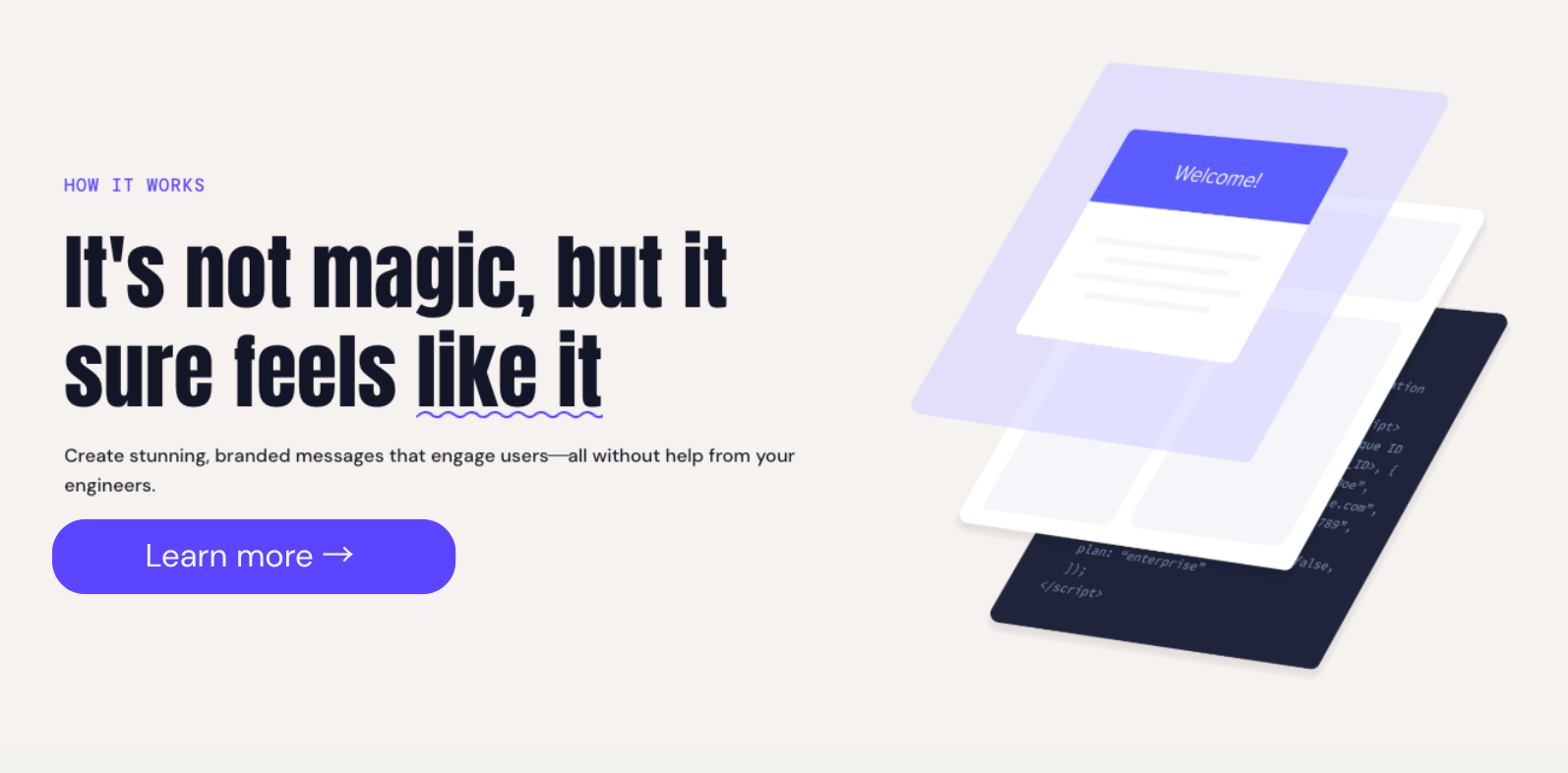
This is where the two platforms diverge most clearly. Appcues is purpose-built for in-product experiences. Userlist is not.
With Appcues, teams can build and publish guided product tours, interactive onboarding checklists, contextual tooltips, feature announcement modals, and in-app NPS surveys through a low-code visual builder that requires minimal engineering involvement. Experiences are fully brand-customizable, support A/B testing, and can typically be launched or updated in hours rather than weeks.
Userlist doesn't have an in-app layer. The platform is entirely email-focused, which makes sense given its design intent. But if your onboarding strategy depends on guiding users through your product in real time, that's a meaningful constraint.
Both platforms use behavioral data to decide when to engage users, but the depth and application of that data differs considerably.
Userlist triggers emails based on user events and company-level attributes. For a focused email strategy, that's genuinely useful, and the company-level segmentation is a nice touch for B2B teams managing seat-based accounts.
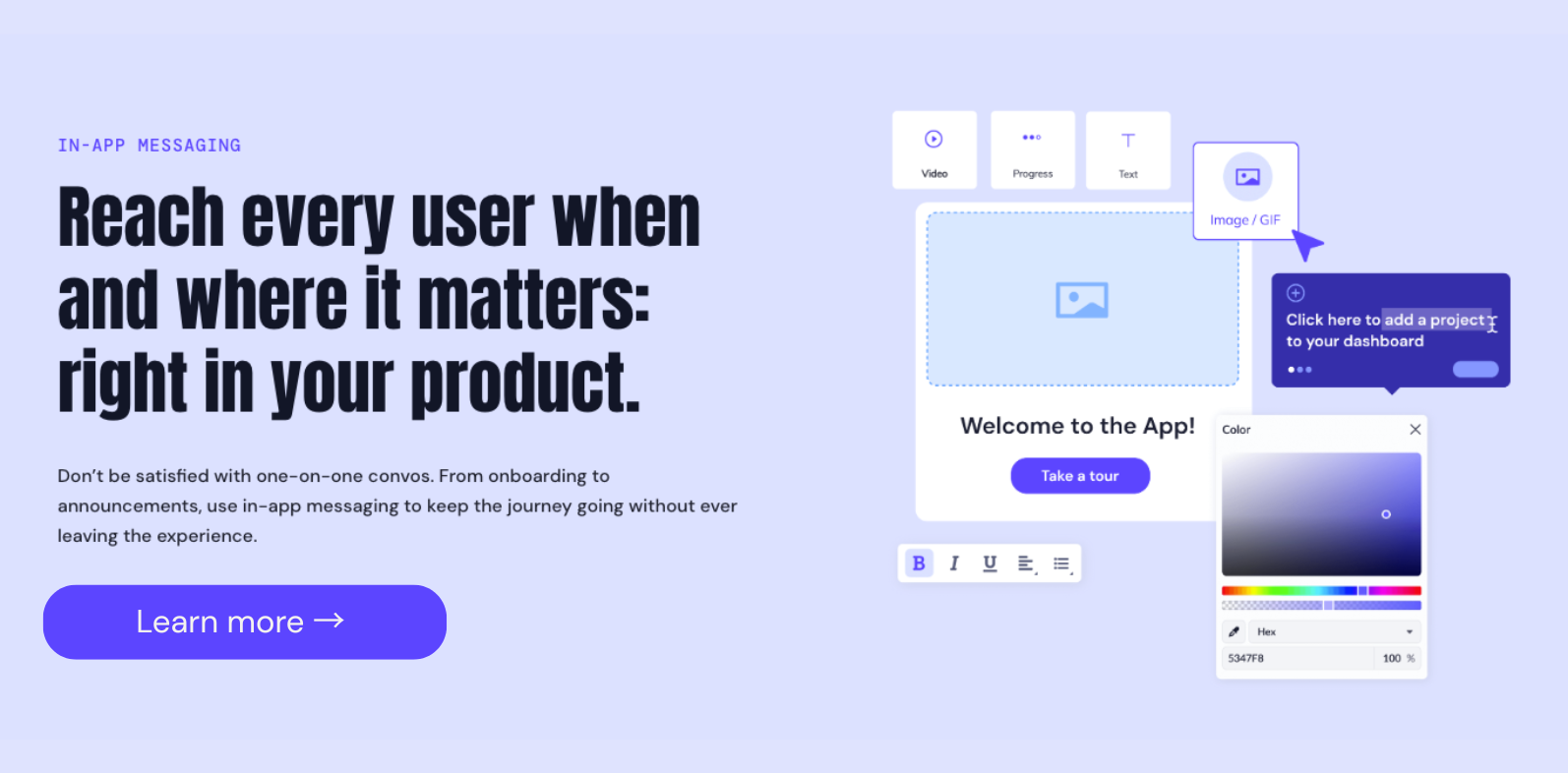
Appcues applies advanced segmentation across in-app, email, mobile, and push from a single platform. You can define audiences based on specific events, user attributes, account properties, lifecycle stage, or combinations of all of them. And because targeting is applied across every channel in one place, you don't end up with inconsistent messaging when someone receives both an in-app prompt and a follow-up email.
A practical example: if a user hasn't completed a key activation step, Appcues can surface a contextual tooltip inside the product and, if they still haven't acted 24 hours later, follow up with an email. Userlist can handle the email side of that scenario, but not the in-product intervention.
💡 Advanced segmentation in Appcues: Appcues connects to the tools already in your stack, including Segment, HubSpot, Amplitude, and Salesforce, so user profiles are enriched with context from CRM, billing, analytics, and support. That context makes targeting more precise and experiences more relevant.
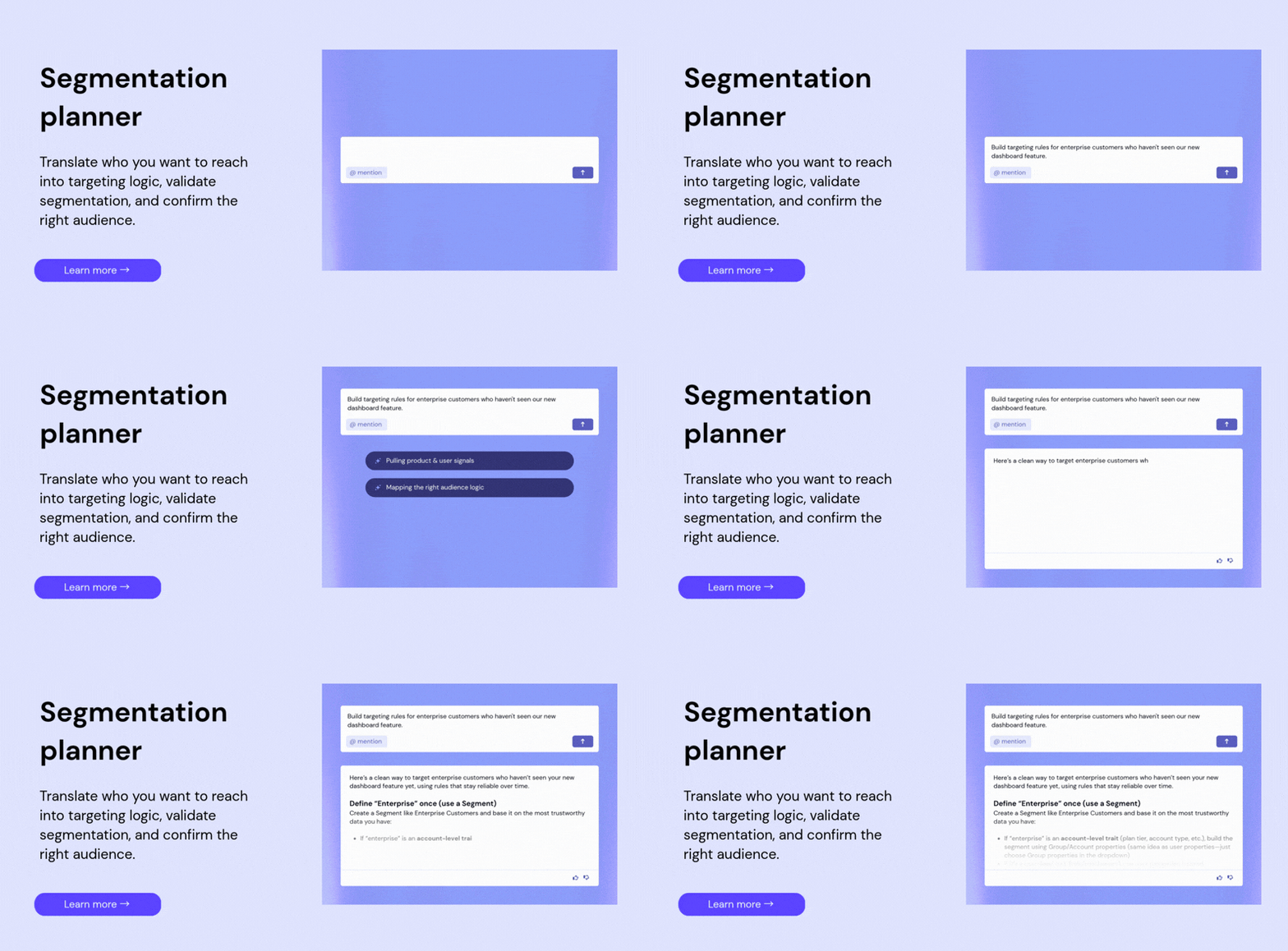
Appcues coordinates in-app, email, mobile, and push from a single platform with a unified view of what each user has seen. That matters when you're trying to run an engagement program rather than a series of one-off messages.
Userlist is email-only. If your strategy eventually expands to include mobile, push, or in-product experiences, you'll be managing separate tools, which means separate targeting logic, separate reporting, and more opportunity for the user experience to feel fragmented.

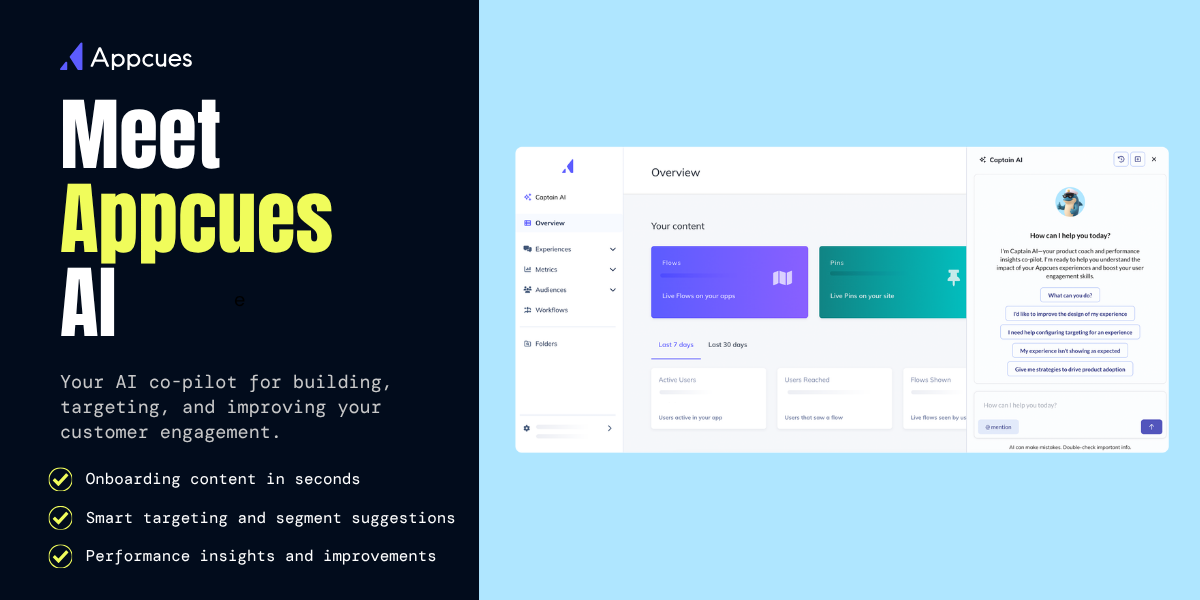
Appcues includes Captain AI, a built-in AI assistant that helps teams draft and refine in-app content, suggest targeting and segmentation logic, and analyze experience performance. The goal is to reduce the time between having an idea for an experience and getting it in front of users, while also helping teams understand what's working.
Userlist's AI capabilities are limited. The platform doesn't offer a comparable layer for creation or analysis.
Appcues tends to show up across three broad areas of the user lifecycle.
Awareness: Getting the right message to the right users about new features, events, or relevant offers. A SaaS analytics company, for example, might use Appcues to announce a new reporting module to a segment of power users, triggering an in-app modal when they log in and following up with an email to anyone who dismissed it without engaging. When awareness campaigns like that are coordinated across channels, feature adoption tends to happen faster than when teams rely on email alone.
Adoption: Guiding users from signup to activation and helping them build lasting habits with the product. One approach teams use regularly is role-based onboarding, where the checklist or guided tour a user sees adapts based on whether they're a manager or an individual contributor, a developer or a marketer. Users who complete onboarding through a personalized flow are meaningfully more likely to still be active 60 days later compared to users who receive a generic experience.
Engagement: Collecting feedback, running NPS, prompting referrals, and connecting users with the team at moments when they're genuinely engaged. A customer data platform might trigger an in-app NPS survey after a user completes their first data integration, then use Appcues' segmentation to route detractors toward a support conversation and promoters toward a referral ask. The logic here is simple: the response rate on feedback you request at a moment of success is much higher than feedback requested on a schedule.
Userlist is strongest for focused, email-first use cases: trial conversion sequences that respond to what a user did or didn't do during their trial period, milestone-based lifecycle emails, re-engagement campaigns for accounts that have gone quiet, and company-level lifecycle flows like notifying an admin when a seat has gone unused.
These are real and valuable use cases. Most SaaS companies need all of them. The question is whether email is the only channel you need to deliver them, or whether you also need to reach users inside the product, on mobile, or via push. For teams whose needs stay narrowly email-focused, Userlist is a solid tool. For teams building something broader, it becomes a starting point rather than a complete solution.
Userlist is priced to be accessible, which is one of its strengths for early-stage teams or companies with narrow, email-first engagement needs. The cost is lower than a full-scale engagement platform, and for the right use case, that's a reasonable trade.
The challenge tends to emerge as teams grow. When you start needing in-app experiences, mobile support, or more sophisticated segmentation, Userlist's scope doesn't expand with you. Teams in that situation often end up adding tools, which increases the total cost and creates the kind of fragmented setup that Appcues is designed to replace.
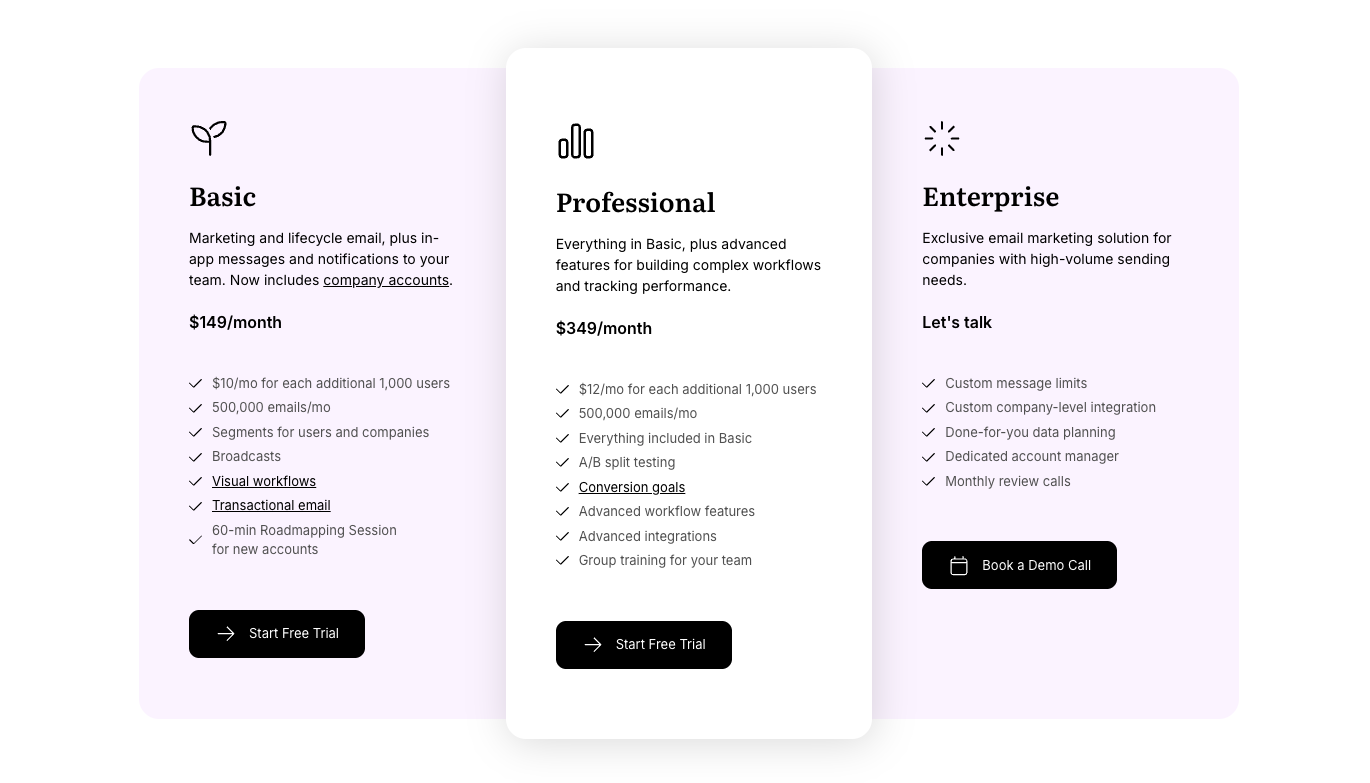
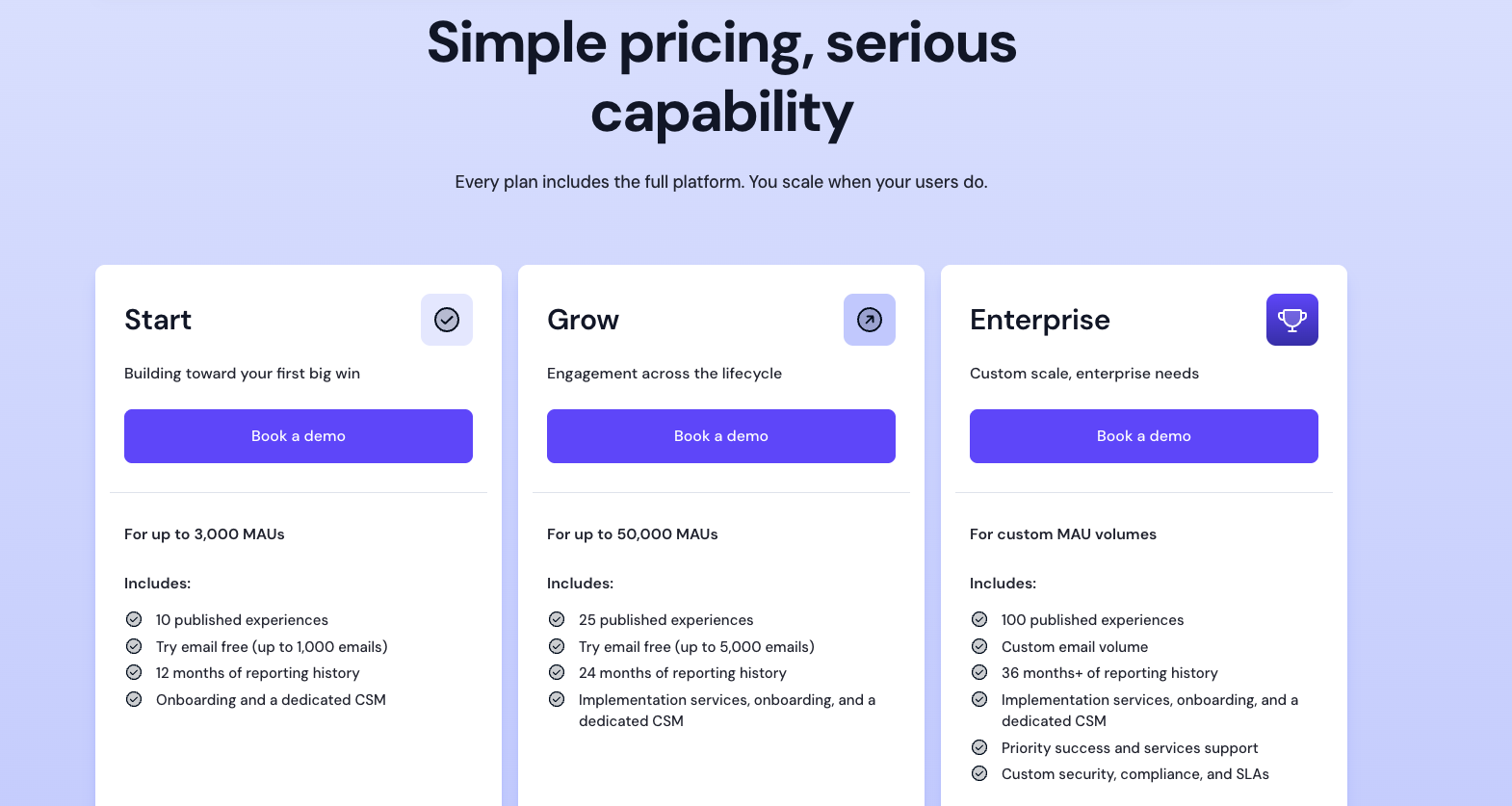
Appcues pricing reflects the scope of a platform built to cover multiple use cases across the full user lifecycle. It's a larger investment than a single-channel tool, but for teams who are building an engagement program across in-app, email, and mobile, it's replacing what would otherwise be two or three separate tools with separate contracts, separate learning curves, and separate data models.
The value tends to compound as teams build more experiences, layer in more channels, and use insights from one area to improve another. For teams at that stage, the comparison to a narrow email tool isn't really apples to apples.
If you only need email right now and have no plans to expand, Userlist is cost-effective. If you're building toward a more complete engagement strategy, Appcues is the platform that supports where you're going, not just where you are today.
Every tool comparison is more useful when it's honest about limitations on both sides.
Appcues rewards teams who arrive with a clear engagement strategy and the appetite to build one. For teams at a very early stage who genuinely only need a trial nurture sequence over email, it may be more platform than is necessary. More flexibility also means more decisions upfront: about what to build, who to target, and what success looks like. Teams without a clear roadmap for their engagement program sometimes need time to find their footing.
The absence of an in-product layer is the most significant limitation for teams whose activation and retention strategy depends on guiding users through the product itself. If someone gets stuck in onboarding and doesn't open their email, there's nothing Userlist can do to help them in that moment. Beyond that, there's no mobile support and no push notification capability, so the moment a team's engagement strategy needs to expand beyond email, it requires adding and integrating separate tools. Segmentation is also more limited than what Appcues offers, which can become a constraint for teams with complex user and account structures.
Appcues is likely the better fit if you:
Userlist is likely the better fit if you:
Userlist is a focused, well-made tool. For teams with a narrow, email-first engagement strategy, it does exactly what it's designed to do, and it doesn't try to be more than that.
But the user journey doesn't start in the inbox. It starts the moment someone logs into your product for the first time, trying to figure out whether it's worth their time. The teams that are most effective at turning that moment into retention tend to be the ones who can reach users right there, in the product, with context-aware guidance that responds to what that person is actually doing.
That's the core case for Appcues. You can build a strong email strategy on top of a great in-product experience. Building the in-product layer on top of an email tool is a harder problem.
Lifecycle Marketing
Email Marketing
Retention & Churn
Product Launches
TL;DR
Appcues vs. Userlist comes down to one question: where do you want to reach your users?
Userlist is a focused, well-built email tool for SaaS lifecycle messaging.
Appcues starts inside the product with in-app Guides, Checklists, and behavioral targeting. Each expeirence extends into email, mobile, and push from there.
If email is all you need right now, Userlist is a reasonable choice. If you're building something broader, Appcues is the platform that grows with you.
If you're evaluating Appcues and Userlist, you've probably already figured out that they overlap in some interesting ways. Both platforms help SaaS teams communicate with users at meaningful moments in the lifecycle. Both use behavioral data to decide when and how to reach out. Both are built for product and marketing teams who want to drive activation and retention without involving a developer at every turn.
But they're approaching the problem from very different directions, and that gap matters more than most comparison pages will tell you.
Userlist starts in the inbox. It's an email-first platform built specifically for SaaS teams who want to send smarter lifecycle messages: trial conversion sequences, milestone nudges, re-engagement campaigns, onboarding drip flows. It does that job with a level of care and intentionality that's worth acknowledging.
Appcues starts inside the product. It's built around the idea that the most important moments in the user journey happen while someone is actually in your app, and that reaching them in that moment requires more than a well-timed email. From there, Appcues extends into email, mobile, and push, so teams can connect the experience across every channel without stitching together separate tools.
The core difference between these two platforms isn't really about features. It's about where you believe user engagement actually happens. This guide will walk through both tools honestly, covering capabilities, use cases, pricing, and where each one genuinely fits.
Here's a quick breakdown of how Appcues and Userlist compare:
If you primarily need in-product engagement across multiple channels, Appcues is the stronger fit. If your strategy is email-first and you want to stay focused there, Userlist is a well-built tool for exactly that.
Userlist was designed with a clear user in mind: the SaaS founder or marketing manager who wants to send the right email at the right moment, tied to what a user actually did (or didn't do) in the product. Welcome a new trial user when they sign up. Follow up with someone who never reached their activation milestone. Quietly re-engage an account that's gone quiet. Userlist handles those flows with a level of specificity that generic email platforms often miss.
A few things Userlist does particularly well: behavior-triggered email sequences tied to user events, company-level and user-level segmentation (a genuinely useful distinction for B2B SaaS), and a clean, focused interface that doesn't bury you in features you don't need. For teams at an early stage, or teams who have a disciplined email strategy and want to execute it without much friction, it's a reasonable choice.
The honest limitation is that Userlist lives entirely in the inbox. It can't reach users inside your product. There are no guided tours, no contextual tooltips, no onboarding checklists, no in-app announcements. If a user logs in, gets confused on step three, and never opens your email, Userlist has no way to help them in that moment. For a lot of SaaS teams, that gap ends up being significant.
Appcues is built around a different premise: that the moments that matter most in the user journey happen inside your product, and that a great engagement strategy has to start there. When someone logs in for the first time, or hits a wall in onboarding, or hasn't discovered a feature that would make them a long-term customer, the product is where you can actually do something about it.
Appcues lets teams build those in-product experiences through a low-code visual builder: guided tours, interactive Checklists, Tooltips, Modals, Banners, NPS Surveys, and more. Marketing, product, and CX teams can launch and iterate on experiences without waiting on engineering. And, because Appcues also supports email, mobile, and push, teams can coordinate across channels from a single platform rather than managing each one separately.
The tradeoff worth naming: Appcues is a larger platform than Userlist, and it rewards teams who come with a real engagement strategy. If all you need right now is a trial nurture sequence delivered by email, Appcues may be more than you need at this stage.
This is where the two platforms diverge most clearly. Appcues is purpose-built for in-product experiences. Userlist is not.
With Appcues, teams can build and publish guided product tours, interactive onboarding checklists, contextual tooltips, feature announcement modals, and in-app NPS surveys through a low-code visual builder that requires minimal engineering involvement. Experiences are fully brand-customizable, support A/B testing, and can typically be launched or updated in hours rather than weeks.
Userlist doesn't have an in-app layer. The platform is entirely email-focused, which makes sense given its design intent. But if your onboarding strategy depends on guiding users through your product in real time, that's a meaningful constraint.
Both platforms use behavioral data to decide when to engage users, but the depth and application of that data differs considerably.
Userlist triggers emails based on user events and company-level attributes. For a focused email strategy, that's genuinely useful, and the company-level segmentation is a nice touch for B2B teams managing seat-based accounts.
Appcues applies advanced segmentation across in-app, email, mobile, and push from a single platform. You can define audiences based on specific events, user attributes, account properties, lifecycle stage, or combinations of all of them. And because targeting is applied across every channel in one place, you don't end up with inconsistent messaging when someone receives both an in-app prompt and a follow-up email.
A practical example: if a user hasn't completed a key activation step, Appcues can surface a contextual tooltip inside the product and, if they still haven't acted 24 hours later, follow up with an email. Userlist can handle the email side of that scenario, but not the in-product intervention.
💡 Advanced segmentation in Appcues: Appcues connects to the tools already in your stack, including Segment, HubSpot, Amplitude, and Salesforce, so user profiles are enriched with context from CRM, billing, analytics, and support. That context makes targeting more precise and experiences more relevant.
Appcues coordinates in-app, email, mobile, and push from a single platform with a unified view of what each user has seen. That matters when you're trying to run an engagement program rather than a series of one-off messages.
Userlist is email-only. If your strategy eventually expands to include mobile, push, or in-product experiences, you'll be managing separate tools, which means separate targeting logic, separate reporting, and more opportunity for the user experience to feel fragmented.
Appcues includes Captain AI, a built-in AI assistant that helps teams draft and refine in-app content, suggest targeting and segmentation logic, and analyze experience performance. The goal is to reduce the time between having an idea for an experience and getting it in front of users, while also helping teams understand what's working.
Userlist's AI capabilities are limited. The platform doesn't offer a comparable layer for creation or analysis.
Appcues tends to show up across three broad areas of the user lifecycle.
Awareness: Getting the right message to the right users about new features, events, or relevant offers. A SaaS analytics company, for example, might use Appcues to announce a new reporting module to a segment of power users, triggering an in-app modal when they log in and following up with an email to anyone who dismissed it without engaging. When awareness campaigns like that are coordinated across channels, feature adoption tends to happen faster than when teams rely on email alone.
Adoption: Guiding users from signup to activation and helping them build lasting habits with the product. One approach teams use regularly is role-based onboarding, where the checklist or guided tour a user sees adapts based on whether they're a manager or an individual contributor, a developer or a marketer. Users who complete onboarding through a personalized flow are meaningfully more likely to still be active 60 days later compared to users who receive a generic experience.
Engagement: Collecting feedback, running NPS, prompting referrals, and connecting users with the team at moments when they're genuinely engaged. A customer data platform might trigger an in-app NPS survey after a user completes their first data integration, then use Appcues' segmentation to route detractors toward a support conversation and promoters toward a referral ask. The logic here is simple: the response rate on feedback you request at a moment of success is much higher than feedback requested on a schedule.
Userlist is strongest for focused, email-first use cases: trial conversion sequences that respond to what a user did or didn't do during their trial period, milestone-based lifecycle emails, re-engagement campaigns for accounts that have gone quiet, and company-level lifecycle flows like notifying an admin when a seat has gone unused.
These are real and valuable use cases. Most SaaS companies need all of them. The question is whether email is the only channel you need to deliver them, or whether you also need to reach users inside the product, on mobile, or via push. For teams whose needs stay narrowly email-focused, Userlist is a solid tool. For teams building something broader, it becomes a starting point rather than a complete solution.
Userlist is priced to be accessible, which is one of its strengths for early-stage teams or companies with narrow, email-first engagement needs. The cost is lower than a full-scale engagement platform, and for the right use case, that's a reasonable trade.
The challenge tends to emerge as teams grow. When you start needing in-app experiences, mobile support, or more sophisticated segmentation, Userlist's scope doesn't expand with you. Teams in that situation often end up adding tools, which increases the total cost and creates the kind of fragmented setup that Appcues is designed to replace.
Appcues pricing reflects the scope of a platform built to cover multiple use cases across the full user lifecycle. It's a larger investment than a single-channel tool, but for teams who are building an engagement program across in-app, email, and mobile, it's replacing what would otherwise be two or three separate tools with separate contracts, separate learning curves, and separate data models.
The value tends to compound as teams build more experiences, layer in more channels, and use insights from one area to improve another. For teams at that stage, the comparison to a narrow email tool isn't really apples to apples.
If you only need email right now and have no plans to expand, Userlist is cost-effective. If you're building toward a more complete engagement strategy, Appcues is the platform that supports where you're going, not just where you are today.
Every tool comparison is more useful when it's honest about limitations on both sides.
Appcues rewards teams who arrive with a clear engagement strategy and the appetite to build one. For teams at a very early stage who genuinely only need a trial nurture sequence over email, it may be more platform than is necessary. More flexibility also means more decisions upfront: about what to build, who to target, and what success looks like. Teams without a clear roadmap for their engagement program sometimes need time to find their footing.
The absence of an in-product layer is the most significant limitation for teams whose activation and retention strategy depends on guiding users through the product itself. If someone gets stuck in onboarding and doesn't open their email, there's nothing Userlist can do to help them in that moment. Beyond that, there's no mobile support and no push notification capability, so the moment a team's engagement strategy needs to expand beyond email, it requires adding and integrating separate tools. Segmentation is also more limited than what Appcues offers, which can become a constraint for teams with complex user and account structures.
Appcues is likely the better fit if you:
Userlist is likely the better fit if you:
Userlist is a focused, well-made tool. For teams with a narrow, email-first engagement strategy, it does exactly what it's designed to do, and it doesn't try to be more than that.
But the user journey doesn't start in the inbox. It starts the moment someone logs into your product for the first time, trying to figure out whether it's worth their time. The teams that are most effective at turning that moment into retention tend to be the ones who can reach users right there, in the product, with context-aware guidance that responds to what that person is actually doing.
That's the core case for Appcues. You can build a strong email strategy on top of a great in-product experience. Building the in-product layer on top of an email tool is a harder problem.

Sign up for Quickcues and get our monthly updates!
.svg)


